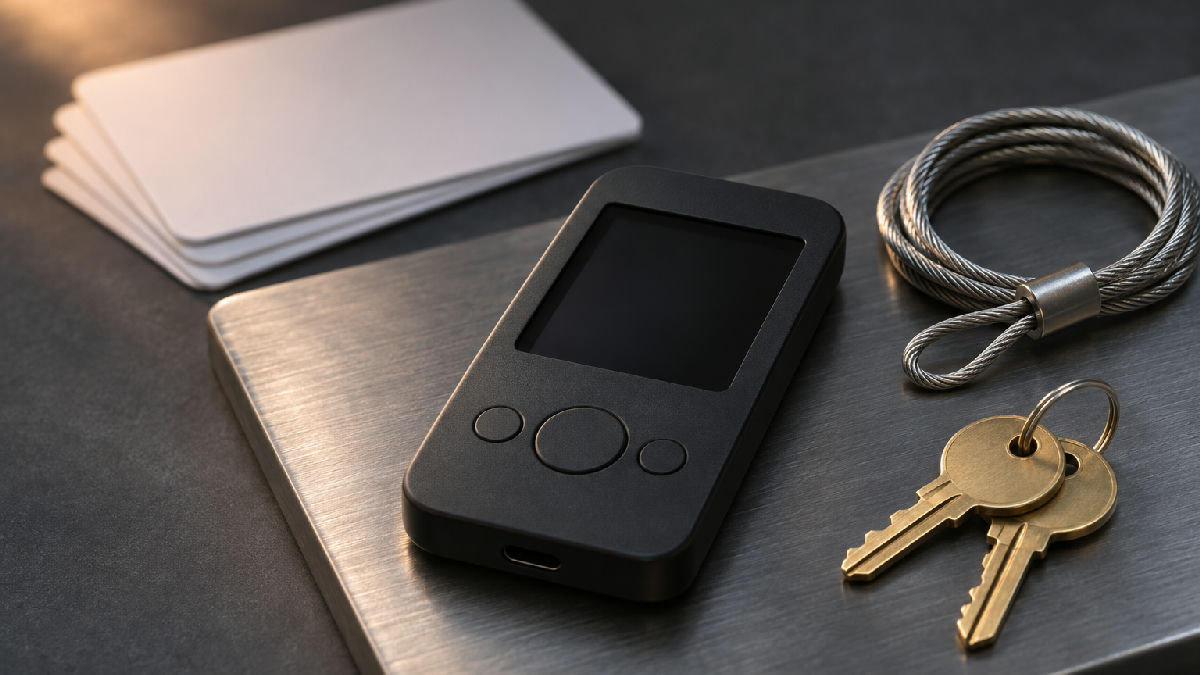
In the volatile world of cryptocurrency, the fear of losing your digital assets can be paralyzing. Every headline about exchange hacks or phishing scams can send shivers down your spine. What if there was a way to truly safeguard your hard-earned crypto, to build an impenetrable "Digital Vault"? This guide will empower you to do exactly that by mastering hardware wallet security.
Hardware wallets represent the gold standard for self-custody, providing a robust defense against many common threats. They are physical devices that let you keep your crypto offline, making them very secure. By understanding how these devices work and how to use them effectively, you can reclaim control over your digital wealth, transforming anxiety into confidence. This comprehensive guide moves beyond basic explanations to offer a deep dive into choosing, setting up, and managing your hardware wallet with advanced security practices.
This guide isn't just about technical specifications; it's about giving you the knowledge and practical steps to ensure your crypto assets are safe and sound. It addresses the common anxieties surrounding crypto security, providing clear, actionable advice to help you navigate the complexities of self-custody. By the end, you'll feel empowered and secure, knowing your digital assets are protected within your own fortified "Digital Vault."
📋 What You'll Learn
- Confidently choose the best hardware wallet for your needs.
- Set up your chosen hardware wallet securely, understanding all critical steps (seed phrase backup, PIN, passphrase).
- Perform secure transactions and manage your crypto assets with your hardware wallet.
- Implement advanced backup and recovery strategies to safeguard against various threats.
- Troubleshoot common issues and identify potential security risks.
- Feel empowered and secure in your crypto self-custody.
⏱️ Estimated Time:
📊 Difficulty: Intermediate
Chapter 1: The Digital Vault – Why Hardware Wallets Are Your Ultimate Security Upgrade
At the heart of crypto security lies the concept of self-custody, where you, and only you, control your private keys. A hardware wallet is a crucial tool in this endeavor. These physical devices are designed to provide offline storage for private keys, acting as a "Digital Vault" for your digital assets. This means your critical cryptographic information is never exposed to internet-connected computers, significantly reducing the risk of online theft.
What is a Hardware Wallet and How Does it Work?
A hardware wallet is a dedicated, physical device specifically engineered to secure your cryptographic private keys. These devices typically use secure elements, similar to those found in passports or credit cards, to generate and store your private keys in an isolated, offline environment. When you want to initiate a transaction, the transaction details are sent to your hardware wallet, which then digitally signs the transaction using your private key – all without ever exposing the key to your computer or phone. This signed transaction is then sent back to your computer to be broadcast to the blockchain. This mechanism is why physical hardware wallets are devices that let you keep your crypto offline, making them very secure.
Dispelling Myths: What a Hardware Wallet CAN and CANNOT Do
While powerful, hardware wallets are not magic. They:
- CAN: Protect your private keys from online threats (malware, phishing).
- CAN: Allow you to securely sign transactions without exposing your keys.
- CAN: Provide an isolated environment for critical operations.
- CANNOT: Protect you from social engineering scams if you authorize malicious transactions.
- CANNOT: Protect you if your seed phrase is compromised or improperly stored.
- CANNOT: Recover funds if you send them to the wrong address.
The Unseen Threats: Why Software Wallets Aren't Enough for Serious Security
Software wallets (hot wallets) are convenient for everyday transactions, but they inherently carry more risk. Because they operate on internet-connected devices, they are vulnerable to malware, viruses, and phishing attacks that could steal your private keys. While some software wallets offer robust encryption, the constant online exposure means they can never match the security of an offline device. For significant holdings or long-term storage, relying solely on a software wallet is akin to leaving your valuables in a flimsy safe. For a deeper dive into the distinctions, explore the difference between hot and cold wallets.
The Hardware Wallet Advantage: Isolation, Tamper-Resistance, and Offline Signing
The core benefits of hardware wallets stem from their design principles:
- Isolation: Private keys are generated and stored in a secure chip, completely isolated from your internet-connected computer. This offline storage for private keys is a critical security feature.
- Tamper-Resistance: Reputable hardware wallets are built with physical security measures to detect and prevent physical tampering.
- Offline Signing: Transactions are signed on the device itself. You physically verify the transaction details on the wallet's screen, ensuring what you see is what's being broadcast. This greatly reduces the risk of malicious software altering transaction data without your knowledge. This crucial process is part of how hardware wallets secure your cryptocurrency assets offline.
Chapter 2: Choosing Your Master Key – A Comparative Analysis of Top Hardware Wallets
Selecting the right hardware wallet is a critical decision. It's not a one-size-fits-all choice. The best hardware wallet for you depends on your specific needs, the cryptocurrencies you hold, and your comfort level with technology. This section provides a comparative analysis to help you make an informed decision, acting as a "Comparison Grid / Decision Tree."
Factors to Consider: Security Features, Supported Cryptocurrencies, Ease of Use, Price, Open-Source vs. Proprietary
- Security Features: Look for devices with secure elements, PIN protection, passphrase support (25th word), and robust firmware update mechanisms.
- Supported Cryptocurrencies: Ensure the wallet supports all the assets you intend to store. For instance, Cardano (ADA) operates on a proof-of-stake consensus and Filecoin (FIL) uses Storage Power Consensus, so confirm support for specific assets like these. Moonbeam leverages an EVM and Solidity for smart contracts, requiring compatibility.
- Ease of Use: Some wallets are more beginner-friendly, while others cater to advanced users.
- Price: Hardware wallets range from affordable to premium. Consider your budget and the value of the assets you're protecting.
- Open-Source vs. Proprietary: Open-source firmware and hardware allow for community audits, potentially increasing trust, while proprietary solutions rely on the manufacturer's reputation and security research.
Deep Dive: Ledger (Nano S Plus, Nano X) - Pros, Cons, Unique Features
- Pros: Wide range of supported cryptocurrencies, user-friendly interface via Ledger Live software, Bluetooth connectivity (Nano X), and a secure element chip.
- Cons: Closed-source firmware (though audited), past data breach incident (customer data, not crypto), battery life concerns on Nano X.
- Unique Features: Extensive app ecosystem for various coins and DApps.
Deep Dive: Trezor (Model One, Model T) - Pros, Cons, Unique Features
- Pros: Fully open-source hardware and firmware, strong reputation for security, clear touchscreen interface (Model T), excellent privacy features.
- Cons: Slightly fewer supported assets compared to Ledger (though still extensive), higher price point for Model T.
- Unique Features: Shamir Backup (Model T) for enhanced recovery phrase security, passphrase (25th word) implementation.
Deep Dive: Coldcard (Mk4) - Pros, Cons, Unique Features (for advanced users)
- Pros: Bitcoin-only focus for maximum security, air-gapped operation (never connects to a computer directly), robust hardware security, open-source.
- Cons: Not user-friendly for beginners, limited to Bitcoin, higher learning curve.
- Unique Features: BIP-39 passphrase support, seed generation via hardware random number generator, "duress PIN."
Other Noteworthy Wallets (e.g., BitBox02, Keystone)
The market for hardware wallets is dynamic, with other strong contenders like BitBox02 (focus on privacy and ease of use) and Keystone (air-gapped, modular design with fingerprint sensor). Each offers a unique blend of features and security philosophies. For a more general overview of wallet types, consider reading What are Different Types of Crypto Wallets.
Interactive Tool: 'The Comparison Grid / Decision Tree' – Which Hardware Wallet is Right for You?
To aid your decision, consider these aspects:
🔒 Option A: Beginner/Multi-Asset User
Best for: Broad cryptocurrency support, easier setup, intuitive software.
Recommendation: Ledger Nano S Plus/X, Trezor Model One/T.
📱 Option B: Advanced/Bitcoin-Only User
Best for: Maximum air-gapped security, deep technical control, Bitcoin-centric.
Recommendation: Coldcard Mk4, BitBox02 Bitcoin-only edition.
Option A: Beginner/Multi-Asset User - Considerations
- Security Architecture & Chip Specifications: Both Ledger and Trezor utilize secure elements or robust microcontroller units to protect private keys. Ledger uses a CC EAL5+ certified secure element.
- Supported Coins & Integration with Ecosystems: Ledger and Trezor offer extensive support for various cryptocurrencies including Ethereum (ETH), Bitcoin Cash (BCH), Dogecoin (DOGE), Litecoin (LTC), and many ERC-20 tokens on Ethereum, as well as tokens on L2s like Arbitrum One. They integrate with their respective companion apps (Ledger Live, Trezor Suite).
- User Experience & Interface: Designed for accessibility, with clear screens and user-friendly software interfaces.
- Community Reputation & Track Record: Both have long-standing reputations, though Ledger has faced scrutiny over past data breaches (not affecting crypto assets).
- Price vs. Value: Ledger Nano S Plus is generally more affordable, while Trezor Model T is a premium option.
Option B: Advanced/Bitcoin-Only User - Considerations
- Security Architecture & Chip Specifications: Coldcard prioritizes air-gapped operation, using microSD cards for data transfer, and a dedicated security chip.
- Supported Coins & Integration with Ecosystems: Primarily focused on Bitcoin (BTC). Limited or no support for other altcoins.
- User Experience & Interface: Designed for advanced users who prioritize security over convenience; steep learning curve.
- Community Reputation & Track Record: Highly respected within the Bitcoin maximalist community for its uncompromising security approach.
- Price vs. Value: Often higher priced, reflecting specialized hardware and unique security features.
Chapter 3: Fortifying Your Fortress – Initial Setup & Advanced Security Practices
The setup process is paramount to your hardware wallet's security. This is where you lay the foundation for your "Digital Vault." While specific steps vary slightly between brands, the core principles remain consistent.
Step-by-Step Setup Guide (General Principles, then Wallet-Specific Nuances):
- Step 1: Unboxing & Authenticity Check
Action: Carefully inspect the packaging for any signs of tampering (e.g., broken seals, re-sealed boxes, signs of opening). Only purchase directly from the manufacturer or an authorized reseller. Check for holographic stickers, tamper-evident seals, or unique serial numbers that match the device.
Expect: Pristine, factory-sealed packaging. Manufacturers often include guides on their websites for verifying authenticity.
- Step 2: Initializing Your Device
Action: Connect your hardware wallet to your computer using the provided USB cable. Follow the on-screen prompts on the device to begin initialization. This typically involves selecting "Set up as new device."
Expect: The device screen will guide you through the initial steps, often displaying a welcome message or instructions to proceed.
- Step 3: Generating & Securing Your Seed Phrase
Action: The device will generate a series of random words (typically 12 or 24 words, following standards like BIP-39). This is your "Master Key & The Backup Blueprint." Write these words down on the provided recovery sheet(s) EXACTLY as they appear, in the correct order. Use a pen, not a pencil.
Why 12/24 words matter: This seed phrase is the ultimate backup for all your crypto assets derived from this wallet. If your hardware wallet is lost or damaged, these words are your only way to recover your funds.
Best practices for physical backup (metal, paper, multiple locations): Create at least two copies. Store them in secure, physically separate locations. Consider engraving them on metal plates for fire and water resistance. Never store digital copies (e.g., photos, cloud storage).
Dangers of digital backups: Any digital copy is vulnerable to hacking, malware, and accidental deletion. This defeats the purpose of a hardware wallet's offline security.
Expect: A clear, sequential display of recovery words on the hardware wallet's screen. You will physically transcribe them.
- Step 4: Confirming Your Seed Phrase
Action: Your hardware wallet will typically ask you to confirm a few words from your seed phrase to ensure you've written it down correctly. This is a critical double-check.
Expect: The device to verify your input, indicating if your confirmation is correct or if you need to re-enter. Do not proceed until this step is successfully completed.
- Step 5: Setting Up a Strong PIN
Action: Choose a PIN for your device, usually 4-8 digits. This PIN protects your device from unauthorized physical access. Enter it on the device's screen and confirm it.
Strategies for memorization and security: Choose a PIN that is easy for you to remember but hard for others to guess. Avoid sequential numbers or birth dates. Never write your PIN near your seed phrase.
Expect: The device will confirm your PIN is set. Note that multiple incorrect PIN attempts typically wipe the device, requiring recovery via your seed phrase.
- Step 6: (Optional/Advanced) Setting Up a Passphrase (25th word)
Action: Some hardware wallets (like Trezor and Coldcard) offer a passphrase feature, also known as a 25th word. This adds an extra layer of security, creating a hidden wallet. You can enable this feature and choose a strong passphrase (a word or phrase you commit to memory).
When to use a passphrase: Ideal for protecting significant holdings or for plausible deniability if coerced. It creates a completely separate set of accounts that cannot be accessed without this additional word.
How to manage multiple passphrases: If you use multiple passphrases, you must remember each one precisely. Forgetting a passphrase means losing access to those specific funds forever.
Expect: A prompt on your device to enter and confirm your passphrase if you choose this advanced option. This feature is not supported by all wallets, including Ambire Wallet, which operates on Ethereum and other supported chains.
- Step 7: Firmware Updates: 'The Upgradeable Shield' – Why and How to Update Securely
Action: Periodically, manufacturers release firmware updates to enhance security, add new features, or fix bugs. Always perform updates directly through the official companion software (e.g., Ledger Live, Trezor Suite) and follow their instructions meticulously.
Verifying firmware authenticity: Reputable software automatically verifies the authenticity of firmware updates. Be wary of any prompts outside the official application.
Expect: A clear update process within the official application, with progress shown on both your computer and hardware wallet screen.
- Step 8: Integrating with Companion Software/Wallets
Action: Install the official companion software (e.g., Ledger Live for Ledger, Trezor Suite for Trezor) on your computer. Follow the instructions to connect and pair your device.
Expect: The software to recognize your connected device and display your accounts. This software acts as an interface, but your private keys remain secure on the hardware wallet.
Chapter 4: Navigating Your Digital Treasury – Sending, Receiving, and Managing Assets
Once your hardware wallet is set up, performing transactions is straightforward, yet requires careful attention to security. The hardware wallet acts as a "Security Checkpoint" for every outgoing transaction.
Receiving Crypto: How to Generate Addresses and Verify Them
- Step 1: Open Your Companion App and Select the Asset
Action: Open Ledger Live, Trezor Suite, or the relevant companion application. Select the cryptocurrency you wish to receive (e.g., ETH for Ethereum, FIL for Filecoin).
Expect: The application to display your selected asset's overview.
- Step 2: Generate a Receive Address
Action: Click on "Receive" or "Generate Address." Your hardware wallet will typically prompt you to confirm this action on its screen.
Expect: A new receive address to be displayed in the companion application and, crucially, on your hardware wallet's screen.
- Step 3: Verify the Address on Your Hardware Wallet
Action: This is a critical step. Compare the address shown on your computer screen with the address displayed on your hardware wallet's small screen. They MUST match exactly. Malicious software could swap the address on your computer, but it cannot alter the display on your hardware device.
Expect: Visual confirmation that both addresses are identical. Only proceed if they match.
- Step 4: Share Your Address
Action: Once verified, copy the address from your computer screen and share it with the sender. You can also generate a QR code.
Expect: The sender to use this address to send funds. Remember, each transaction on a blockchain, such as Cardano's proof-of-stake or Filecoin's Storage Power Consensus, is immutable once confirmed.
Sending Crypto: The 'Security Checkpoint' – Initiating Transactions and On-Device Verification
- Step 1: Initiate a Send Transaction
Action: In your companion application, select the asset you want to send and click "Send." Enter the recipient's address and the amount. Double-check all details at this stage.
Expect: The application to prepare the transaction for your review.
- Step 2: Connect and Unlock Your Hardware Wallet
Action: Connect your hardware wallet to your computer and enter your PIN to unlock it. Open the corresponding app on the device if necessary.
Expect: The hardware wallet to be ready for interaction.
- Step 3: Verify Transaction Details On-Device
Action: Your hardware wallet's screen will display the full transaction details: recipient address, amount, and fees. Carefully compare these details with what you intended to send. Scroll through all screens on the device to review every part of the transaction.
The Importance of Double-Checking Addresses: Always compare the recipient address on your hardware wallet's screen with the intended address character by character. Malicious software can replace the address on your computer screen with a scammer's address. Your hardware wallet's display is your ultimate source of truth.
Expect: The hardware wallet to clearly show all transaction parameters. If anything looks incorrect or suspicious, cancel the transaction immediately.
- Step 4: Confirm on Device
Action: If all details are correct on your hardware wallet's screen, physically press the confirm button(s) on your device to sign and broadcast the transaction.
Expect: The transaction to be signed by your hardware wallet and then broadcast to the blockchain via the companion application. You will see a confirmation in the app.
Managing Multiple Assets: Using Your Hardware Wallet for Diverse Portfolios
Most modern hardware wallets support a wide range of cryptocurrencies, from native assets like Filecoin (FIL) and Cardano (ADA) to various tokens across different chains such as Ethereum, Arbitrum One, and Moonbeam. You typically add "accounts" for each asset within your companion software, which then generates and manages addresses for those specific coins using your hardware wallet's private keys. This allows you to consolidate your holdings under one secure device.
Connecting to DApps and DeFi (Carefully!): Understanding the risks and best practices
Hardware wallets can connect to decentralized applications (DApps) and DeFi protocols via wallet connect features or direct integration with browser extensions like MetaMask. While convenient, this introduces new risks. Always:
- Connect with caution: Only connect your hardware wallet to trusted DApps.
- Review permissions: Carefully examine any permission requests (e.g., allowing a contract to spend your tokens) on your hardware wallet's screen.
- Understand smart contracts: Be aware that interacting with complex smart contracts can have unintended consequences. Ethereum utilizes an EVM, as does Moonbeam, and both involve smart contract interactions.
- Disconnect: Always disconnect your wallet from DApps when you're finished.
Dealing with Scams: Recognizing common phishing attempts and malicious smart contracts
Even with a hardware wallet, you are vulnerable to scams that trick you into authorizing malicious transactions. Common scams include:
- Phishing websites: Fake websites designed to steal your seed phrase or trick you into signing malicious transactions.
- Malicious smart contracts: Approving a contract that can drain your wallet of certain tokens.
- Impersonation: Scammers posing as support staff asking for your seed phrase.
Always verify URLs, never share your seed phrase, and critically review transaction details on your hardware wallet's screen before signing. For more comprehensive insights, read How to Secure Your Crypto Wallet from Common Scams and Hacks.
Chapter 5: Advanced Backup Strategies & Disaster Recovery: The Ultimate Safety Net
Your seed phrase is the single most important component of your hardware wallet security. Protecting it, and having a plan for recovery, is paramount. This section delves into advanced strategies to ensure your "Master Key & The Backup Blueprint" is truly resilient.
Beyond the Basic Seed Phrase: Redundancy and Geographic Dispersion
While one copy of your seed phrase is better than none, redundancy dramatically increases resilience. Create multiple physical copies (e.g., engraved metal, laminated paper) and store them in different, secure locations. Consider a home safe, a bank safe deposit box, and a trusted family member's safe. This geographic dispersion protects against single-point-of-failure events like fire, flood, or theft in one location.
Multi-Sig Wallets (Brief Introduction): Shared control for enhanced security
Multi-signature (multi-sig) wallets require multiple private keys to authorize a transaction, offering a higher level of security, especially for organizational funds or significant personal holdings. For example, a 2-of-3 multi-sig wallet requires any two out of three designated private keys to sign a transaction. While complex to set up, it prevents a single compromised key from leading to fund loss. This aligns with the concept of Actionable Security Blueprint. Although most hardware wallets don't directly implement multi-sig, they can be used as the signing devices for multi-sig setups.
Inheritance Planning: Ensuring your assets can be recovered by trusted individuals if needed
A often-overlooked aspect of self-custody is inheritance. Without proper planning, your digital assets could be lost forever upon your passing. Consider legal mechanisms like trusts or wills that include clear, secure instructions for accessing your hardware wallet's recovery phrase. This requires careful consideration of who you trust and how you will ensure they can safely access the necessary information without exposing it prematurely. Mastering Your Private Keys and Seed Phrases includes guidance on protecting this information.
What to Do If Your Wallet is Lost, Stolen, or Damaged
- Recovery Process using your Seed Phrase: If your hardware wallet is lost, stolen, or damaged, you can use your seed phrase to recover your funds on a new hardware wallet (or even a compatible software wallet). Purchase a new, genuine device, and during setup, choose the "Recover wallet" or "Restore from seed phrase" option. Enter your 12 or 24 words precisely.
- Setting up a new device: Follow the new device's instructions for recovery, which typically mirrors the initial setup process, but instead of generating a new seed, you input your existing one.
- Act quickly if stolen: If your wallet is stolen, recover your funds to a new wallet (e.g., a temporary software wallet, then a new hardware wallet) as quickly as possible.
What to Do If Your Seed Phrase is Compromised (and how to prevent it)
If you suspect your seed phrase has been compromised (e.g., you accidentally showed it to someone, took a photo, or stored it insecurely), act immediately:
- Acquire a new, secure wallet (either another hardware wallet or a temporary software wallet).
- Transfer all your assets from the compromised wallet to the new wallet as quickly as possible.
- Understand that the compromised seed phrase can no longer be trusted for any funds.
Prevention is key: never digitize your seed phrase, store it in multiple secure physical locations, and never share it with anyone.
Practice Makes Perfect: Simulating Recovery (without exposing funds)
Periodically, you should practice the recovery process. This doesn't mean exposing your real seed phrase to an online device. Instead:
- Use a "dummy" wallet: Create a new, temporary wallet with a small amount of testnet crypto or a negligible amount of real crypto. Write down its seed phrase.
- Perform a simulated recovery: Wipe that device or get another one, and practice restoring the "dummy" wallet using its seed phrase.
- Verify funds: Confirm you can access the dummy funds. This builds confidence in your backup strategy.
Chapter 6: Security Audits & Verification: Building Maximum Trust
Trust in your hardware wallet is paramount. Understanding how manufacturers build and maintain that trust, and how you can verify it, is crucial for maximum security.
Understanding Open-Source vs. Closed-Source Hardware
- Open-Source: Hardware and software designs are publicly available for review. This allows the community and independent security researchers to scrutinize the code for vulnerabilities. Trezor and Coldcard are examples of largely open-source projects.
- Closed-Source: Designs are proprietary and not publicly available. Manufacturers like Ledger rely on internal audits and third-party security firms. Both approaches have pros and cons, but open-source can foster greater community trust.
The Importance of Independent Security Audits and Vulnerability Disclosure Programs
Reputable hardware wallet manufacturers regularly submit their products to independent security audits by specialized firms. These audits search for design flaws and vulnerabilities. Additionally, many companies operate vulnerability disclosure programs, encouraging ethical hackers to find and report bugs, often in exchange for a bounty. Look for a track record of transparent security reporting.
Verifying Your Device's Authenticity: Cryptographic Checks and Anti-Tampering Features
Modern hardware wallets employ cryptographic attestation to verify authenticity. When you connect a new Ledger or Trezor device, the companion software performs a cryptographic check to ensure the device is genuine and running official firmware. This protects against counterfeit devices. Furthermore, devices often include physical anti-tampering features, such as specialized seals or internal sensors that detect if the device has been opened.
Recognizing Supply Chain Attacks and How to Mitigate Them
A supply chain attack involves intercepting a device during shipping to tamper with it before it reaches the user. Mitigation strategies include:
- Buy directly: Always purchase hardware wallets directly from the manufacturer's official website.
- Inspect packaging: Thoroughly inspect packaging for any signs of tampering upon arrival.
- Perform authenticity checks: Rely on the device's built-in cryptographic authenticity checks when setting it up.
Community Due Diligence: How to assess a wallet's ongoing security posture
Stay informed by following reputable crypto security news outlets and community forums. Look for discussions about new vulnerabilities, firmware updates, and the manufacturer's responsiveness to security concerns. A transparent and proactive approach to security is a strong indicator of a trustworthy brand.
⚠️ Common Mistakes to Avoid
- Buying from unofficial resellers: Always buy directly from the manufacturer or authorized distributors to avoid counterfeit or tampered devices.
- Storing your seed phrase digitally: Never take photos, store on a computer, email, or cloud backup your seed phrase. Keep it strictly offline and physically secure.
- Losing your seed phrase: This is the single point of failure. Without it, your funds are unrecoverable if your hardware wallet is lost, stolen, or damaged.
- Sharing your seed phrase: Never, ever share your seed phrase with anyone, under any circumstances. No legitimate entity will ever ask for it.
- Forgetting your PIN or Passphrase: While a forgotten PIN can usually be recovered with your seed phrase, a forgotten passphrase (25th word) means permanent loss of access to funds associated with it.
- Not verifying transaction details on the device: Always double-check the recipient address and amount on your hardware wallet's screen before confirming a send transaction.
- Ignoring firmware updates: Regular firmware updates often contain critical security patches. Ensure your device is always up-to-date.
- Using easy-to-guess PINs: Avoid simple PINs like "1234" or birthdates.
Frequently Asked Questions
What if I lose my hardware wallet? Can I still access my crypto?
Yes, you can still access your crypto if you lose your hardware wallet, provided you have securely backed up your seed phrase (also known as a recovery phrase). You simply purchase a new, genuine hardware wallet (or use a compatible software wallet) and restore your wallet using the seed phrase during the setup process. All your funds will then be accessible on the new device.
Is it safe to buy a hardware wallet from a reseller like Amazon?
It is generally recommended to buy hardware wallets directly from the manufacturer's official website to minimize the risk of receiving a tampered or counterfeit device. While some authorized resellers on platforms like Amazon might be legitimate, the risk of supply chain attacks or receiving a used/compromised device is higher than buying direct. Always verify the authenticity of your device using the manufacturer's tools upon receipt.
How often should I update my hardware wallet's firmware?
You should update your hardware wallet's firmware whenever a new update is released by the manufacturer. These updates often include critical security patches, bug fixes, performance improvements, and support for new cryptocurrencies. Always perform updates through the official companion application and ensure your recovery phrase is safely backed up before starting the update process.
Can a hardware wallet be hacked if connected to a compromised computer?
A hardware wallet is designed to protect your private keys even if the computer it's connected to is compromised. The private keys never leave the secure element of the device. However, a compromised computer could potentially trick you into signing a malicious transaction by altering the transaction details displayed on the computer screen. This is why it's critical to always verify the transaction details (recipient address, amount, fees) directly on the hardware wallet's trusted display before confirming.
What's the difference between a PIN and a passphrase (25th word)?
A PIN is a short numerical code (typically 4-8 digits) that protects physical access to your hardware wallet. If you enter the PIN incorrectly too many times, the device usually wipes itself, requiring recovery via your seed phrase. A passphrase (also known as a 25th word or BIP-39 passphrase) is an additional word or phrase that you add to your 12 or 24-word seed phrase. This creates a completely separate, "hidden" wallet. Without this specific passphrase, even with your 12/24 words, access to the funds secured by that passphrase is impossible. It offers an extra layer of security and plausible deniability but also adds complexity.
How do I know if my hardware wallet is genuine and not a fake?
Reputable hardware wallet manufacturers use cryptographic attestation mechanisms. When you connect and set up your new device with its official companion software (e.g., Ledger Live, Trezor Suite), the software performs a check to verify that the device is authentic and running genuine firmware. Always buy directly from the manufacturer, inspect the packaging for tampering, and follow the manufacturer's authenticity verification steps.
What cryptocurrencies can I store on a hardware wallet?
Most popular hardware wallets support a wide range of cryptocurrencies. This typically includes major assets like Bitcoin (BTC) and Ethereum (ETH), along with other prominent coins such as Filecoin (FIL), Cardano (ADA), Litecoin (LTC), Dogecoin (DOGE), and Bitcoin Cash (BCH). They also often support a vast array of ERC-20 tokens on the Ethereum network and tokens on compatible chains like Arbitrum One and Moonbeam. It's essential to check the specific wallet's supported coins list on the manufacturer's website to ensure compatibility with all your assets.
Is a hardware wallet truly 'offline'?
Yes, the critical component – your private keys – remains truly offline within the hardware wallet's secure element. When you initiate a transaction, the hardware wallet connects to your computer or phone to receive transaction details and broadcast the signed transaction. However, the signing process, which involves your private key, occurs entirely within the isolated, offline environment of the device itself. Your private key never leaves the device or touches an internet-connected environment. This offline storage for private keys is what makes hardware wallets very secure.
What precautions should I take when backing up my seed phrase?
When backing up your seed phrase, always write it down physically on a durable material (like the provided recovery cards, or engrave it on metal). Create at least two copies and store them in separate, secure, geographically dispersed locations (e.g., home safe, bank safe deposit box, trusted legal counsel). Never store your seed phrase digitally (e.g., photo, cloud, email, word document). Ensure no one observes you writing it down, and do not verbalize it.
Can someone force me to reveal my seed phrase or PIN?
Yes, under duress, you could be forced to reveal your seed phrase or PIN. Hardware wallets protect against digital threats, but not against physical coercion. Some wallets offer features like a "duress PIN" (which opens a decoy wallet with no funds) or the use of a passphrase (25th word) to create a hidden wallet, providing plausible deniability. However, the ultimate defense against physical threats lies in robust physical security for your backups and never revealing your recovery information.
Do I need to buy a new hardware wallet if I want to store different coins?
No, generally, you do not need a new hardware wallet for each different coin. Most modern hardware wallets support a wide variety of cryptocurrencies and tokens. You simply install the relevant "app" for each coin on your existing hardware wallet via its companion software (e.g., Ledger Live, Trezor Suite). The hardware wallet can then manage multiple different cryptocurrency accounts using the same set of private keys derived from your initial seed phrase.
What's Next?
Now that you've completed this guide, you might want to:
- Deepen your understanding of how wallets function by reading How Do Blockchain Wallets Work to Store and Manage Your Crypto Assets.
- Explore broader crypto security measures with How to Secure Your Crypto Wallet: Best Practices and Tools.
- Learn about the foundational concepts that underpin blockchain security by understanding The Role of Cryptography in Blockchain Explained.
- Understand the core mechanism that secures all transactions in Digital Signatures Explained: Safeguarding Blockchain Transactions.
- Familiarize yourself with different wallet types in general with Beginner's Guide to Crypto Wallets: How to Choose and Secure Your Digital Assets.
Sources
- Filecoin — primary documentation
- Cardano — primary documentation
- BIP-0039: Mnemonic code for generating deterministic keys
- Crypto Wallet — primary documentation
- Bitcoin Cash — primary documentation
- Cardano — primary documentation
- Cryptocurrency Hardware Wallet — primary documentation
- BIP-0032: Hierarchical Deterministic Wallets
- Ethereum — official documentation site
- DefiLlama — Dogecoin
- Bitcoin Whitepaper, §1
- BIP-44: Multi-Account Hierarchy for Deterministic Wallets
- CoinGecko — Arbitrum
- Cardano — primary documentation
- L2Beat — Arbitrum One
- CoinGecko — Ambire Wallet
- DefiLlama — Ambire Wallet
- CoinGecko — Filecoin
- DefiLlama — Cardano