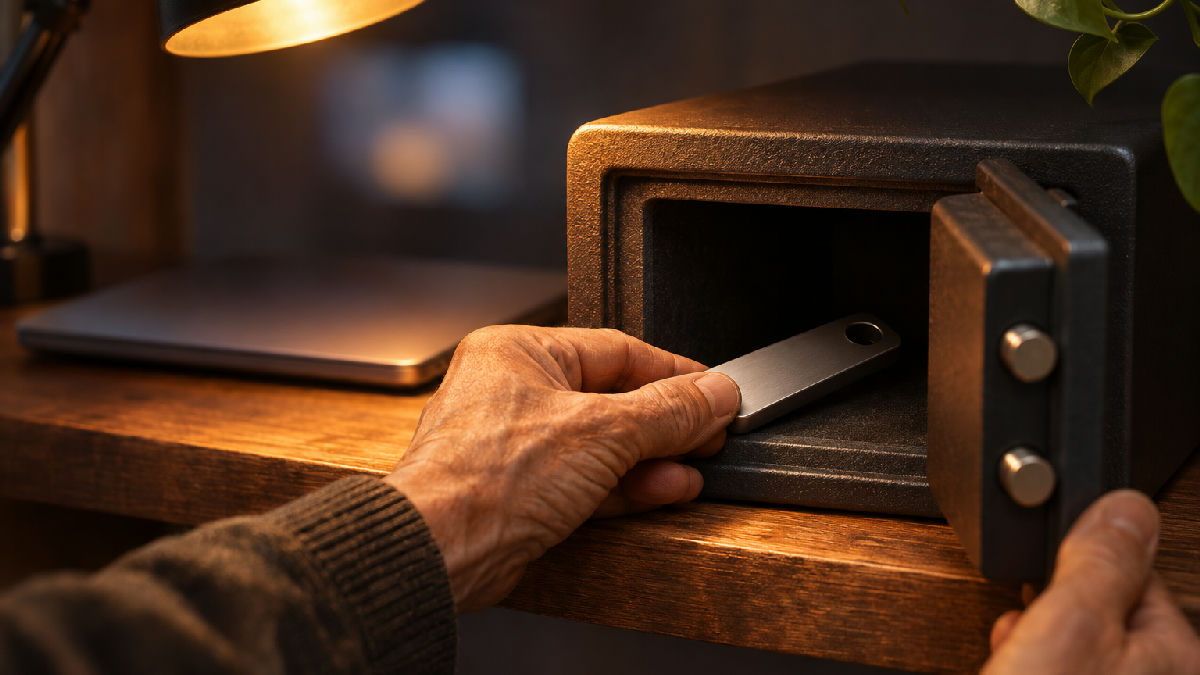
Are you grappling with the complexities of safeguarding your digital assets? Feeling overwhelmed by technical jargon and the constant worry of losing your hard-earned investments? You're not alone. The world of cryptoc can feel like a labyrinth, especially when it comes to securing your holdings. But what if there was a way to shield your crypto from the unpredictable storms of the internet, like a digital fortress protecting your most valuable treasures? This guide is your key to unlocking that security.
We've all heard the horror stories: hacks, scams, lost passwords. It's enough to make anyone nervous about diving into crypto. But what if we told you there's a proven method to keep your digital wealth safe, a method trusted by serious investors? That method is called "cold storage," and it's far simpler to understand and implement than you might think. By the end of this guide, you'll not only understand what cold storage is, but you'll also feel empowered to choose and set up the best solution for your own peace of mind.
📋 What You'll Learn
- What cold storage is and why it's crucial for your crypto security.
- The different types of cold storage available.
- The pros and cons of each method.
- How to choose the best cold storage solution for your individual needs.
- Practical steps to implement your chosen cold storage method securely.
⏱️ Estimated Time: 15 minutes
📊 Difficulty: Beginner
The Digital Fortress: What is Cold Storage Crypto?
Imagine you have a priceless family heirloom. Would you store it under your mattress, or would you put it in a fireproof, flood-proof safe, perhaps even in a secure bank vault? Most likely, you'd choose the latter. In the world of crypto, your digital assets are your priceless heirlooms, and cold storage is that ultimate safe – completely disconnected from the internet.
Beyond the Buzzword: Demystifying Cold Storage
So, what exactly is cold storage crypto? Simply put, cold storage refers to keeping your cryptoc offline. This means your private keys – the secret codes that prove you own your crypto and allow you to spend it – are never exposed to the internet. Think of it like taking your physical cash out of an online banking app and putting it in a physical wallet in your pocket, or even better, in a secure safe at home.
The 'Why' Behind the 'What': Why Cold Storage is Essential for Long-Term Security
The internet, while incredibly useful, is also a battleground for hackers. Any device connected to the internet is vulnerable to attacks. By moving your crypto "offline" into cold storage, you drastically reduce the risk of theft from online threats. It's like building an impenetrable fortress around your wealth, making it nearly impossible for digital intruders to reach.
Cold vs. Hot: A Clear Distinction
To truly grasp cold storage, it's helpful to see how it compares to "hot storage" (or hot wallets). Hot wallets are connected to the internet – this includes exchange accounts, mobile wallets, and desktop wallets. They're convenient for frequent transactions, like spending crypto or active trading. Think of them like the small amount of cash you carry in your everyday wallet for quick purchases.
However, just like an iceberg, only a small part of your crypto should ever be "above water" (in a hot wallet) and readily accessible. The vast majority – your long-term savings or significant investments – should be safely tucked away in cold storage, much like the hidden, massive part of an iceberg beneath the surface. This is why cold storage is crucial for long-term security; it shields your investments from common online vulnerabilities by keeping your private keys air-gapped from the internet.
Choose Your Own Cold Storage Adventure: Types of Cold Storage
Just like there are different types of safes, there are various ways to implement cold storage. Each has its own benefits and drawbacks, catering to different needs and comfort levels. Let's explore your options to find the perfect fit for your digital assets.
Hardware Wallets: Your Personal Digital Safe
- What is it? A physical electronic device, often resembling a USB stick, designed specifically to store your cryptoc's private keys offline. When you want to send crypto, you connect the device to your computer or phone, authorize the transaction on the device itself, and then disconnect it. Crucially, your private keys never leave the secure confines of the device.
- Pros: Excellent security (private keys are always offline), relatively user-friendly with clear interfaces, supports many different cryptocurrencies, and typically comes with a backup "seed phrase" (a list of words) to recover your funds if the device is lost or damaged. It offers a great balance of security and usability.
- Cons: Initial cost (can range from $50-$200+), requires physical safekeeping of the device itself, and there's potential for user error during setup or recovery if you're not careful.
- Best for: Anyone holding a significant amount of crypto for the long term, those prioritizing top-tier security without excessive technical complexity, and users who want full control over their own keys without relying on third parties.
Paper Wallets: The Physical Ledger Analogy
- What is it? A simple piece of paper with your public and private keys printed on it, usually as QR codes. Because it's literally just paper, it's entirely offline once printed.
- Pros: Free to create (just need a printer), truly offline and immune to digital hacks, and the core concept is easy to understand.
- Cons: Highly vulnerable to physical damage (fire, water, tearing), easily lost or misplaced, difficult and risky to use for spending (often requires "sweeping" into a hot wallet), and poses security risks if generated on an internet-connected computer that could be compromised. Due to these limitations, paper wallets are generally considered less secure and practical than hardware or multi-signature setups for most users today.
- Best for: Very small amounts of crypto, extreme privacy enthusiasts (if generated on an air-gapped, offline computer), or as a minimalist introduction to offline storage for those who fully understand and accept the significant risks.
Sound Wallets: The Sonic Security (Experimental)
- What is it? A more niche and experimental method where private keys are encoded into sound waves. These sound files can then be stored offline on various mediums, effectively making them a form of cold storage.
- Pros: Extremely novel and intriguing, can be stored in various offline formats (e.g., recorded on a cassette tape, stored as an audio file on a USB drive), and not immediately readable by humans.
- Cons: Highly technical to generate and decode, requires specialized software and expertise, not widely supported or tested, much higher risk of data corruption or misinterpretation during encoding/decoding, making it impractical for most.
- Best for: Highly advanced users, cryptography enthusiasts, or those looking for extreme, highly customized obscure cold storage methods purely for experimentation. Definitely not recommended for beginners or significant funds.
Deep Cold Storage/Custodial Solutions: The High-Security Vault Service
- What is it? This usually refers to professional services that specialize in storing your crypto for you. They often employ a sophisticated combination of hardware and software security measures, multi-signature wallets, and even physical security in heavily guarded vaults. It's like putting your valuables in a high-security bank vault, where the bank (custodian) handles all the security complexities.
- Pros: Very high-security standards (often beyond what individuals can achieve), typically includes insurance against certain types of loss, and adheres to strict regulatory compliance, offering significant peace of mind.
- Cons: You don't directly hold your own keys (you trust a third party), typically involves higher fees, can have withdrawal limits or delays, and introduces counterparty risk (the risk that the custodian goes out of business, gets hacked, or becomes unreliable).
- Best for: Large institutions, very high-net-worth individuals, or anyone who prefers to delegate security to seasoned professionals and trusts a reputable third party with their assets.
Making Your Choice: A Personalized Security Plan
Choosing the right cold storage method isn't a one-size-fits-all decision. It's a personal choice based on your unique situation, much like choosing the right type of insurance. Let's assess what's best for you.
Assessing Your Needs
Consider these factors to guide your decision:
- Amount of Crypto: How much value are you trying to protect? A small amount might justify a simpler, less expensive solution, while a large, substantial investment warrants the highest security measures available.
- Frequency of Transactions: Do you need to access your crypto often, or is it a long-term "set it and forget it" hold? Frequent access favors more convenient (though potentially less secure) options, while rare access makes deep cold storage more practical.
- Technical Comfort Level: Are you comfortable with technology and learning new interfaces, or do you prefer straightforward, plug-and-play solutions that require minimal technical know-how?
- Risk Tolerance: How much risk are you willing to accept? Are you comfortable with the potential physical vulnerabilities of a paper wallet, or do you prefer the robust digital security and recovery options of a hardware device?
Real-World Scenarios: Finding Your Fit
Let's look at some examples to help you identify with a user profile:
- Scenario 1: The Long-Term HODLer (High value, rare access)
User Profile: Sarah has invested a significant portion of her savings into Bitcoin and Ethereum for retirement. She plans to hold it for 5-10 years and will rarely need to access it. She's moderately tech-savvy and values security above all else.
Optimal Choice: A top-tier hardware wallet (e.g., Ledger, Trezor). This provides excellent offline security with a reliable interface for the rare times she needs to access her funds, allowing her to control her own keys. - Scenario 2: The Casual Investor (Moderate value, occasional access)
User Profile: David occasionally buys small amounts of various altcoins and might need to move them every few months for rebalancing or minor trades. He's comfortable with everyday tech but not an expert in cryptography.
Optimal Choice: A reputable hardware wallet. While he might access it more often than Sarah, the superior security benefits compared to a hot wallet still far outweigh the slight inconvenience. - Scenario 3: The Experimenter (Small value, high privacy/learning)
User Profile: Emily is fascinated by the underlying technology of crypto and wants to exper with truly offline storage for a very small, non-critical amount, prioritizing theoretical security and learning. She's highly technical and enjoys understanding details.
Optimal Choice: While risky for large amounts, a carefully generated paper wallet (using an air-gapped, freshly wiped computer) might appeal to her for its pure offline nature and educational value for small, disposable sums. She understands and mitigates the risks.
Implementing Your Cold Storage: Taking the Plunge (Securely!)
Once you've chosen your method, the next critical step is to set it up correctly. We'll focus on hardware wallets here, as they offer the best balance of security and usability for the vast majority of users, and briefly touch on the unique considerations for paper wallets.
Step-by-Step Guide for Setting Up a Hardware Wallet
While specific steps vary slightly by brand (e.g., Ledger, Trezor), the general process is as follows. Read your device's instructions carefully!
- Purchase from Official Source: This is paramount. ALWAYS buy directly from the manufacturer's official website or an authorized, reputable reseller. Never buy a used hardware wallet or one from an unknown third-party seller, as it could be tampered with or contain malicious firmware.
- Unbox and Connect: Carefully follow the on-screen instructions that come with your device. This usually involves connecting it to your computer via USB for initial setup.
- Initialize Device: The device will guide you through setting up a new wallet from scratch. Choose the "set up as new device" option.
- Set a PIN: You'll create a PIN code (like an ATM PIN) that you'll use to unlock the device each time. Memorize this and do not share it or write it down carelessly.
- Write Down Your Recovery Seed Phrase: This is the MOST CRITICAL step and your *only* backup. Your device will display a series of 12, 18, or 24 words. This is your "seed phrase" (also called a recovery phrase or mnemonic phrase). Write these words down *in order* on the provided recovery sheets. Do not take a picture, type it on a computer, or save it digitally anywhere. This phrase can regenerate access to all your crypto if your hardware wallet is lost, stolen, or damaged.
- Verify Seed Phrase: The device will usually ask you to re-enter a few words from your seed phrase to ensure you've written it down correctly and accurately. Complete this meticulous step before proceeding.
- Install Apps: If necessary, install the specific cryptoc apps (e.g., Bitcoin, Ethereum) onto your hardware wallet device using the manufacturer's companion software (e.g., Ledger Live, Trezor Suite).
- Send a Small Test Amount: Before sending all your crypto, send a very small, non-critical amount (e.g., $5-$10 worth) to your hardware wallet address. Confirm it arrives. Then, if possible, try to send that small amount back to ensure you can actually transact. This builds crucial confidence in your setup.
- Transfer Your Crypto: Once comfortable and confident, transfer your desired crypto from your hot wallet or exchange to your hardware wallet address.
- Disconnect and Secure: Disconnect your hardware wallet from your computer. Store both the device and, even more importantly, your seed phrase in separate, secure, and secret physical locations, ideally protected in fireproof/waterproof containers.
Security Best Practices for Cold Storage
These principles apply regardless of your chosen cold storage method:
- Guard Your Seed Phrase Like Gold: This is the master key to your crypto. If someone gets it, they own your crypto. If you lose it, your crypto is gone forever. Store it offline, in multiple, physically separate, secure locations. Consider engraving it on metal or using specialized fireproof/waterproof storage solutions for ultimate durability.
- Secure Physical Wallets: Keep your hardware wallet safe from theft, physical damage, and unauthorized access. Treat it like a valuable piece of jewelry or cash – a personal safe is an excellent idea.
- Verify Addresses Meticulously: Always double and triple-check the recipient address when sending crypto, especially when sending from an exchange to your cold storage. Copy-pasting errors or sophisticated malware can redirect funds to a hacker's address.
- Do Not Share Your PIN or Seed Phrase: Ever. No legitimate support person or crypto service will ever ask for them. Treat any such request as a scam.
- Practice Makes Perfect: If you're nervous about the process, practice the setup and recovery process beforehand (with a small, disposable amount of crypto first) to gain confidence and familiarity.
⚠️ Common Mistakes to Avoid
Awareness is your first line of defense:
- Buying from Unverified Sellers: Never purchase a hardware wallet from an unregulated marketplace like eBay or Amazon if it's not directly from the manufacturer or an explicitly authorized reseller. Tampered devices are a very real threat.
- Storing Seed Phrase Digitally: Saving your recovery seed phrase on your computer, phone, cloud storage, or emailing it to yourself completely defeats the purpose of cold storage and is incredibly risky, making it vulnerable to digital theft.
- Losing the Seed Phrase: Without your seed phrase, if your hardware wallet is lost, stolen, or damaged, your funds are unrecoverable. This is why securing it is paramount.
- Ignoring Updates: Keep your hardware wallet's firmware updated to benefit from the latest security patches and feature improvements.
- Not Doing a Test Transaction: Sending all your crypto without first testing with a small amount is like skydiving without checking your parachute – it's a huge risk that's easily avoided.
- Falling for Phishing: Be wary of suspicious emails, deceptive websites, or social media messages impersonating wallet manufacturers or crypto services asking for your seed phrase or private keys.
Frequently Asked Questions
Here are some common concerns you might have about what is cold storage crypto:
Is cold storage 100% secure?
While no security method is absolutely 100% foolproof against every conceivable threat (including human error), cold storage significantly reduces the attack surface by taking your keys offline. This makes it the most secure method currently available for storing cryptoc, especially against online threats.
What's the biggest risk with cold storage?
The biggest risk is usually human error – primarily losing your seed phrase or not backing it up correctly. Physical loss or damage to the device (if the seed phrase isn't recoverable) is also a significant concern. Essentially, if you can't access or recover your seed phrase, your funds are at risk.
Can I lose my crypto if my hardware wallet breaks?
No, not if you have your recovery seed phrase securely stored. Your crypto isn't "on" the device itself; the device just holds the private keys that allow you to access your funds on the blockchain. With your seed phrase, you can restore access to your funds on a new hardware wallet or a compatible software wallet, bringing them back into your control.
How often should I access my cold storage?
Ideally, as infrequently as possible. Cold storage is meant for long-term holding. Frequent access increases opportunities for human error and potential exposure to online risks, negating some of the security benefits.
Are paper wallets still safe to use?
For most users, paper wallets are considered outdated and less secure than modern hardware wallets due to their extreme vulnerability to physical damage, loss, and the inherent difficulties of secure generation and reliable spending. They are generally not recommended for significant amounts of crypto.
What happens if I forget my PIN or lose my seed phrase?
If you forget your PIN but have your seed phrase, you can usually reset the device and restore full access to your wallet using the seed phrase during setup. However, if you lose your seed phrase AND your device is lost, stolen, or damaged, your crypto will likely be permanently lost and unrecoverable, as the seed phrase is your ultimate backup.
Is cold storage only for large amounts of crypto?
While often used for large amounts due to its robust security, cold storage is beneficial for any amount of crypto you consider valuable and want to protect long-term. Even smaller holdings can benefit immensely from the peace of mind and enhanced security that cold storage provides.
What's Next?
Congratulations! Now that you've completed this guide and understand what cold storage crypto entails, you're well on your way to becoming a more secure and confident crypto holder. Protecting your digital assets is an ongoing journey, and staying informed is key. As your crypto portfolio grows, consider exploring more advanced security measures to further fortify your digital fortress.