Yes, you can often cancel a pending crypto transaction, but it's not quite like hitting an 'undo' button on a bank transfer. The trick is to catch it before a miner confirms it on the blockchain.
Essentially, you need to send a new transaction that cleverly overwrites the one that's stuck. This usually involves fiddling with something called a 'nonce' and, crucially, offering a more attractive gas fee. For instance, imagine you tried to buy a new token, but your transaction is stuck. You can send a new transaction to overwrite the stuck one, effectively stopping it in its tracks.
Why Is My Crypto Transaction Stuck Pending?
We've all been there. You send some crypto, but the transaction just hangs in limbo, endlessly marked as 'pending'. Before you start to worry, let's look at what's really going on. More often than not, it's a simple case of heavy network traffic or a gas fee that was set a bit too low.
Think of the network's mempool as a massive, digital waiting room for every unconfirmed transaction. The miners, who are the ones processing these transactions and adding them to the blockchain, are driven by profit. They'll always pick the transactions that offer them the biggest reward—the gas fee you pay.
The Problem with Gas Fees and Network Jams
When the network gets busy, say during a hyped-up NFT mint or a big market swing, that digital waiting room becomes packed. Suddenly, thousands of people are all trying to push their transactions through at once, creating a bidding war for a miner's attention.
Let's say you send a transaction with a gas fee of $5, which seemed perfectly fine an hour ago. But if a popular project suddenly launches, everyone else might start offering $10 or $15 to get their transactions processed first. Your $5 offer is no longer competitive. Your transaction gets shoved to the back of the queue, waiting for a lull when the network quiets down and lower fees become viable again. This could take hours, or in some cases, even days if the congestion doesn't let up.
Key Takeaway: A pending transaction is almost always a sign that your gas fee is too low for the current network demand. The network hasn't lost your transaction; it’s just not profitable enough for a miner to bother with yet.
Getting your head around this is the first step. Before you can try to cancel a pending transaction, you need to understand what caused the jam.
Here are the usual suspects:
- Insufficient Gas Fee: You've simply offered a fee that's below the current going rate for confirmation.
- High Network Traffic: A sudden spike in activity has pushed the average gas price way up, leaving your initial offer in the dust.
- Wallet Defaults: Your wallet might have suggested a default fee that just isn't high enough during a volatile period.
Learning more about the mechanics behind this can be a massive help. Our guide to understanding blockchain technology basics offers a solid foundation. Once you grasp these core ideas, you'll be in a much better position to figure out why your transaction is stuck and how to fix it.
The Secret to Cancelling: Understanding the 'Nonce'
So, you’ve got a transaction stuck in limbo and you need to get it sorted. Annoying, I know, but don't worry. There are a couple of solid ways to handle this, and both hinge on a little piece of data called a nonce.
Think of a nonce (which stands for "number only used once") as a simple ticket number. Your wallet gives a unique, sequential number to every single transaction you send out, starting with 0, then 1, 2, and so on. Blockchains like Ethereum are built to process transactions from your wallet in that exact order. This is the key to getting your stuck transaction unstuck.
There are two main plays here, and we'll walk through both.
The Two Core Methods for Cancelling a Transaction
At its heart, cancelling a pending transaction is about outsmarting the queue. You're essentially telling the network, "Ignore that last thing I sent; look at this new one instead!"
Here’s how you do it:
- The Replacement Method: You create a brand-new transaction using the exact same nonce as the one that’s stuck, but you give it a higher gas fee. The network sees two transactions with the same ticket number, but it's programmed to prioritise the one with the bigger tip (the higher fee). It processes your new one and simply discards the original.
- The Self-Send Method: This is often the simpler route. You create a transaction for 0 ETH (or whatever the network's native token is) and send it directly to your own wallet address. The trick is to assign it the same nonce as the pending transaction and, you guessed it, use a more competitive gas fee. This effectively plugs the hole, replacing your old transaction with a harmless one that just moves nothing from you to you.
The infographic below really nails down how a transaction gets stuck in the first place—it's almost always a case of low fees during a busy time.
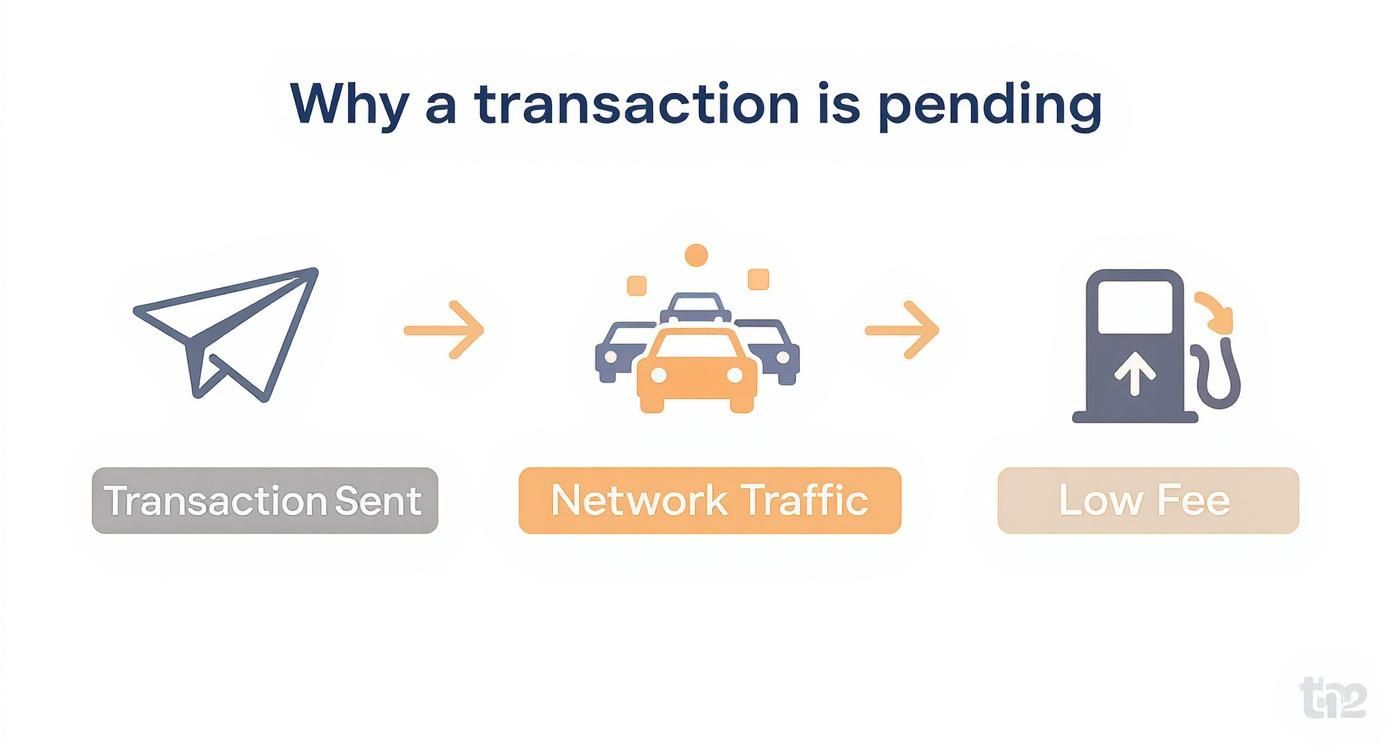
Understanding this flow and these two cancellation techniques gives you a clear path forward when things go wrong.
Method 1: Replacing Your Transaction (The "Speed Up")
Let's call this the "speed up" strategy. It's your go-to when you still want the original transaction to go through, just much faster.
Imagine you're trying to mint a hot new NFT during a launch. You've sent the transaction, but it's just sitting there, pending, because your gas fee was too low to compete. You don't want to cancel the purchase altogether; you just need to push it through before the whole collection sells out.
In this scenario, you'd resubmit the exact same transaction—minting that NFT—but this time, you'll manually edit the gas fee to a much higher, more attractive rate. Your wallet should show you the nonce of the stuck transaction; make sure you use that same number for the new attempt. The network's miners will grab your new, higher-fee attempt and process it, which automatically cancels out the original, slower one.
Method 2: The Self-Send Cancellation (The "Full Stop")
This second approach is for when you want to completely abandon the original transaction. Maybe you've had second thoughts about a token swap, or you've just realised you sent funds to the wrong address and need to slam on the brakes before it’s too late.
Sending 0 ETH to yourself is the cleanest way to do this. By using the same nonce as the stuck transaction, you're creating a placeholder that does nothing but occupy that spot in the queue. Because you've attached a higher gas fee to it, miners will process this harmless self-transaction first, which invalidates the original, unwanted one.
Pro Tip: From my experience, the self-send method is often the safest and most foolproof way to cancel a transaction if your goal is a complete stop. It removes any risk of accidentally interacting with a smart contract a second time or creating other complications.
The frustration of managing these digital payments isn't isolated to the crypto world. It mirrors challenges in the broader UK economy. For example, a recent survey found that an overwhelming 90% of UK companies experienced late payments, a problem that puts immense pressure on their cash flow. While the technology is different, both scenarios show how delays in payment systems—whether on-chain or traditional—can create massive operational headaches. You can dive deeper into these payment trends and their business impact in this detailed Coface survey.
How to Cancel a Transaction in MetaMask
MetaMask is the go-to wallet for millions, but when a transaction gets stuck in limbo, that slick interface can suddenly feel like a cage. Let's walk through exactly how to get things moving again, covering both the simple, built-in options and the more advanced manual method for when you need to take full control.
Many users don't even realise MetaMask has features designed for this exact problem. If you have a transaction stuck in the queue, you'll often see two buttons pop up right on the transaction entry: 'Speed Up' and 'Cancel'.
Here’s a look at the main wallet interface, where you’ll find your pending transactions under the activity feed.
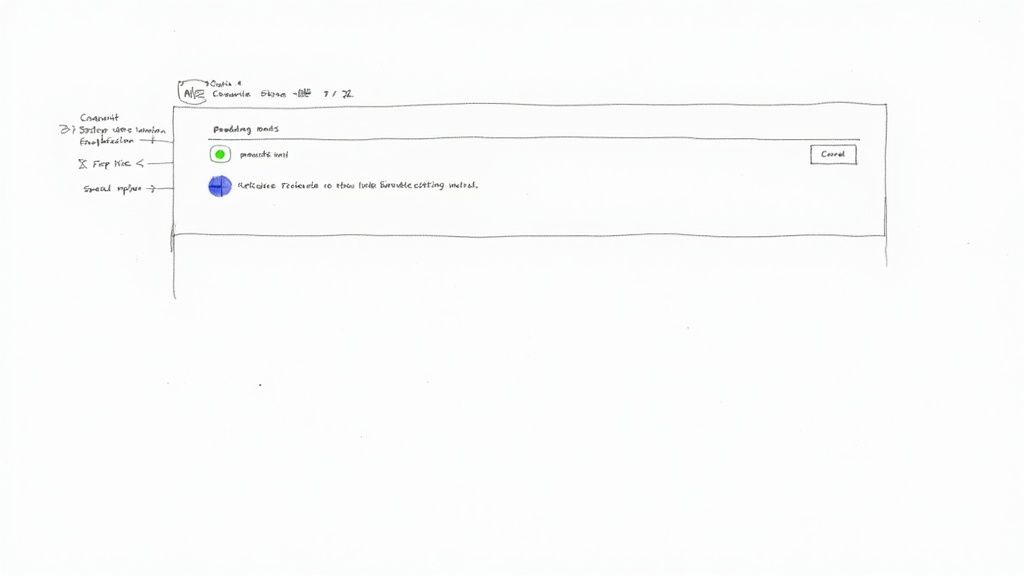
This 'Activity' tab is your command centre for identifying the stuck transaction before you take action.
Using MetaMask’s Built-in Buttons
The 'Speed Up' button is your best bet if you still want the original transaction to go through, just faster. Clicking it simply resubmits the same transaction but with a higher gas fee to entice miners.
On the other hand, the 'Cancel' button attempts the self-send cancellation method we discussed earlier. It automatically creates a 0 ETH transaction to your own address with a higher gas fee, using the same nonce to invalidate the stuck one.
For most situations, one of these buttons will sort you out. It's the quickest and easiest solution.
Expert Tip: I always recommend trying the built-in 'Cancel' button first. It automates the entire process and is the most straightforward fix. Be aware, though, that during extreme network congestion, even this automated attempt can fail if its suggested gas fee is still too low to compete.
If those handy buttons don't do the trick, it’s time to take matters into your own hands.
The Manual Cancellation Method in MetaMask
Sometimes, you just need to get your hands dirty. This manual approach gives you granular control over the cancellation, which is absolutely vital during high-demand events like a hyped NFT mint where every second and every Gwei counts.
First things first, we need to unlock some advanced settings.
- Click your profile icon in the top right corner of MetaMask.
- Navigate to Settings > Advanced.
- Scroll down and find 'Customize transaction nonce'. Toggle it on.
Enabling this feature is the key that unlocks the whole process. It lets you manually set the nonce for a new transaction, which is exactly what we need to overwrite the stuck one. While you're in there, I'd also suggest enabling 'Advanced gas controls' for more precise fee management.
With custom nonces enabled, you can now build the cancellation transaction from the ground up.
You’ll create a brand new transaction, sending 0 ETH back to your own wallet address. Before you hit confirm, you'll see a new field has appeared: 'Custom Nonce'. This is where you must enter the exact same nonce as your stuck transaction.
Finally, and most importantly, you have to set a new, competitive gas fee. Check a real-time tool like Etherscan's Gas Tracker to see what the current network rates are. Set your fee slightly above the 'High' or 'Fast' recommendation to give it the best chance of being picked up quickly.
Submit the transaction. The network should now process your new 0 ETH transaction first, effectively cancelling the original one that was stuck. This level of control is one of the many reasons people prefer using browser extension wallets.
Cancelling Transactions on Other Wallets and Blockchains
So, you've mastered cancelling transactions on MetaMask, but what happens when you venture into the wider world of crypto? While MetaMask is a giant, the skills you've learned are surprisingly transferable. The core concept—using a specific nonce to overwrite a stuck transaction—is the secret handshake for most Ethereum-compatible chains and wallets. The main difference you'll encounter is simply the layout and where to find the right buttons.
Take Trust Wallet, for example. The process is almost a mirror image of what you'd do in MetaMask. You'll still need to pinpoint the stuck transaction, grab its nonce, and then fire off a new 0 ETH transaction to your own address. The trick is making sure you use that exact same nonce and crank up the gas fee to get it noticed. The real challenge is just navigating a different user interface to find the nonce and advanced gas settings.
The game changes entirely, however, when you step outside of the Ethereum ecosystem.
When the Nonce System Doesn't Apply
It's crucial to remember that not all blockchains play by Ethereum's rules. When you're on a different network, you need a completely different strategy.
- Solana: This network is built for speed and finality, so there's no direct "cancel" button like on Ethereum. A stuck transaction here usually means the network is swamped or your fee was too low to make the cut. Your best bet? Patience. The network will typically just drop the transaction on its own after a while if it can't get confirmed.
- Bitcoin: Bitcoin runs on a completely different model called Unspent Transaction Output (UTXO). It's a bit more complex, but you can sometimes rescue a stuck transaction with a method called "Replace-By-Fee" (RBF), provided your wallet supports it. This lets you resend the same transaction, but with a higher fee, essentially telling miners to ignore the old one and process the new, more profitable one instead.
The lesson here is simple: before you even think about cancelling a transaction, get to know the specific mechanics of the blockchain you're using.
Cancellation Method Comparison Across Blockchains
To make things clearer, here’s a quick-reference table that breaks down how transaction cancellation works across some of the most popular blockchains. It's a handy guide for when you're working outside the familiar territory of Ethereum.
| Blockchain | Primary Cancellation Method | Key Factor | Typical Wallet |
|---|---|---|---|
| Ethereum | Same-Nonce, 0-Value Transfer | Higher Gas Fee & Nonce | MetaMask, Trust Wallet |
| Bitcoin | Replace-By-Fee (RBF) | Higher Mining Fee | Electrum, Ledger Live |
| Solana | Wait for Expiry/Drop | Network Congestion/Low Fee | Phantom, Solflare |
| Polygon/Arbitrum | Same-Nonce, 0-Value Transfer | Higher Gas Fee & Nonce | MetaMask, Rainbow |
This table shows that while the goal is the same, the path to getting there can vary significantly. Always double-check your wallet’s features and the network’s rules.
Layer-2 Networks and a Faster Future
What about all the buzz around Layer-2 scaling solutions like Polygon and Arbitrum? Since these networks are built to expand Ethereum's capabilities, they thankfully use the same nonce-based system you're already familiar with.
The best part? Transactions on these networks are incredibly fast and cheap.
This means that if a transaction ever gets stuck on a Layer-2, fixing it is not only quicker but also significantly lighter on your wallet. You won't be staring down the barrel of eye-watering gas fees like you might on the Ethereum mainnet, making the whole situation far less stressful.
These Layer-2s were specifically designed to manage a high volume of transactions without breaking a sweat.
The challenge of processing a massive queue of transactions smoothly isn't unique to crypto. It’s a theme that echoes in traditional UK finance. For instance, in a recent Q2, the value of outstanding residential mortgage loans in the UK saw a 0.3% increase, reaching a staggering £1,703.6 billion. This stability points to a well-oiled machine, but it highlights the universal need for systems that can handle huge transaction volumes without faltering, whether it's for a mortgage or a DeFi swap. You can dive deeper into these figures with the UK mortgage lending statistics from the FCA.
Common Mistakes and Pro Tips for Success
Getting a pending transaction cancelled isn't just about clicking a button; it’s about doing it smart so you don't burn through extra gas fees. After dealing with more stuck transactions than I can count, I’ve seen the same mistakes pop up time and again. I’ve also picked up a few tricks that can save you a world of time, money, and frustration.
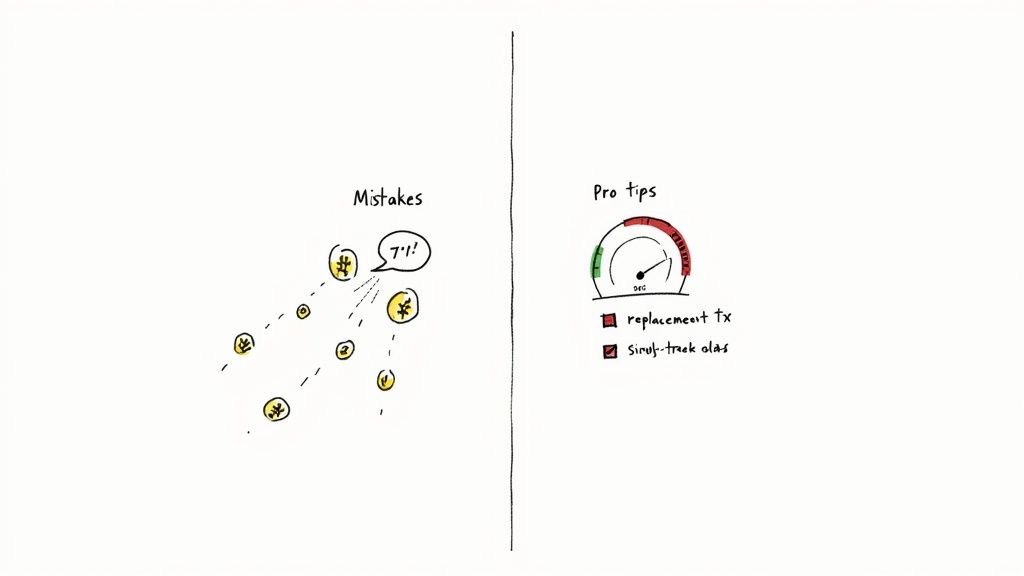
The biggest pitfall I see is pure panic. People start hammering the "cancel" button or firing off multiple cancellation requests for the same transaction. This is a guaranteed way to waste crypto on gas. Remember, every single attempt is a new transaction, and you pay for all of them, successful or not.
The key is to take a breath and be methodical. You only need one, well-constructed cancellation transaction to do the job.
Picking the Perfect Gas Fee
To avoid overpaying while still getting your transaction seen, you need a real-time gas tracker. My go-to is always Etherscan. These tools give you a live snapshot of what the network is demanding for various transaction speeds. Your mission is to find that sweet spot—a fee high enough for miners to grab your cancellation quickly, but not so high you’re just giving money away.
Let's say the gas tracker shows a "Fast" fee of 30 Gwei. A good strategy would be to set your cancellation transaction fee to 33 or 35 Gwei. This slight increase gives you a strong chance of success without going overboard.
Expert Insight: It’s absolutely critical that the gas fee for your cancellation is higher than the fee on your original stuck transaction. If it’s not, miners have zero incentive to prioritise it. Your cancellation will just end up stuck in the queue right behind the first one.
This kind of careful transaction management has parallels in everyday UK finance. Back in July, total card spending hit a massive £75.1 billion, a slight but telling increase from the year before. This sheer volume underscores our dependency on digital payments, but also how easily things can get snarled up, leading to pending charges that need a firm hand to resolve. You can dig into these UK card spending trends on UK Finance.
The Double-Spend Dilemma
So, what happens if both your original transaction and your cancellation get confirmed? It's rare, but it can happen, especially if network congestion suddenly drops. Imagine you tried to cancel a token swap, but the network ends up processing both your cancellation (the 0 ETH transfer) and the original swap.
If you find yourself in this situation, don't panic. Here’s what to do:
- Confirm on a block explorer: First thing's first, head to Etherscan and plug in your wallet address. It provides the definitive record of which transactions were confirmed and in what order.
- Assess the outcome: Did you end up with tokens you didn't want? If the original swap went through, you'll likely need to perform another transaction to sell them back.
- Learn from the experience: This usually means the gas fee on your cancellation wasn't aggressive enough to reliably beat the original. Next time, aim for a slightly higher fee to give your cancellation a clear priority.
Common Questions About Cancelling Transactions
Let's clear up a few of the most common questions that pop up when you're trying to cancel a pending transaction. Getting these details right can save you a lot of headache and a bit of money, too.
Will I Get My Gas Fee Back If I Cancel a Transaction?
The short answer is no, you won't get the gas fee back from the original, stuck transaction. That fee is paid to network validators (or miners) for their computational effort, and that work is done regardless of whether your transaction actually gets confirmed.
On top of that, you have to pay a new gas fee for the cancellation transaction you're creating. This is exactly why it’s so important to set a sensible gas fee from the get-go – it helps you avoid paying twice for one action.
What Happens If I Just Leave a Pending Transaction?
If you decide to just wait it out, you’re essentially rolling the dice. One of two things will probably happen. If the network traffic dies down, a validator might eventually pick up your transaction and confirm it. This could take hours, or even days in some cases.
The other possibility is that after a long enough time, some network nodes might simply drop your transaction from their mempool (the waiting area for transactions). It would essentially vanish, but there's absolutely no guarantee this will happen. Creating a replacement transaction is the only sure-fire way to take control.
A Quick Word of Warning: Just hoping the network drops your transaction is a risky move. If you've sent funds to the wrong address or urgently need to stop the transaction, you have to actively cancel it yourself.
Can I Cancel a Transaction That Is Already Confirmed?
Unfortunately, no. Once a transaction is confirmed and added to the blockchain, it's permanent and irreversible. This is one of the core principles of how this technology works – it’s a public, unchangeable ledger.
The methods we've covered in this guide only work for transactions that are still 'pending' and haven't been finalised in a block. Always check its status on a block explorer before you try anything.
At The Coin Course, our goal is to give you clear, practical guides to help you navigate the world of crypto with confidence. For more expert tips and detailed tutorials, feel free to explore our full library of resources at https://thecoincourse.com.