📋 What You'll Learn
- Confidently set up and configure your hardware wallet for various DeFi protocols.
- Accurately interpret and verify complex DeFi transaction details on your hardware wallet screen, distinguishing legitimate operations from malicious attempts.
- Identify and mitigate common and advanced security risks associated with using hardware wallets in DeFi, including smart contract interactions, approvals, and staking.
- Understand the limitations of hardware wallets in certain DeFi scenarios and implement additional security layers.
- Make informed decisions about which DeFi protocols to interact with based on their security posture and risk profile.
⏱️ Estimated Time: 25 minutes
📊 Difficulty: Advanced
Chapter 1: The Digital Fortress – Hardware Wallets in the DeFi Landscape
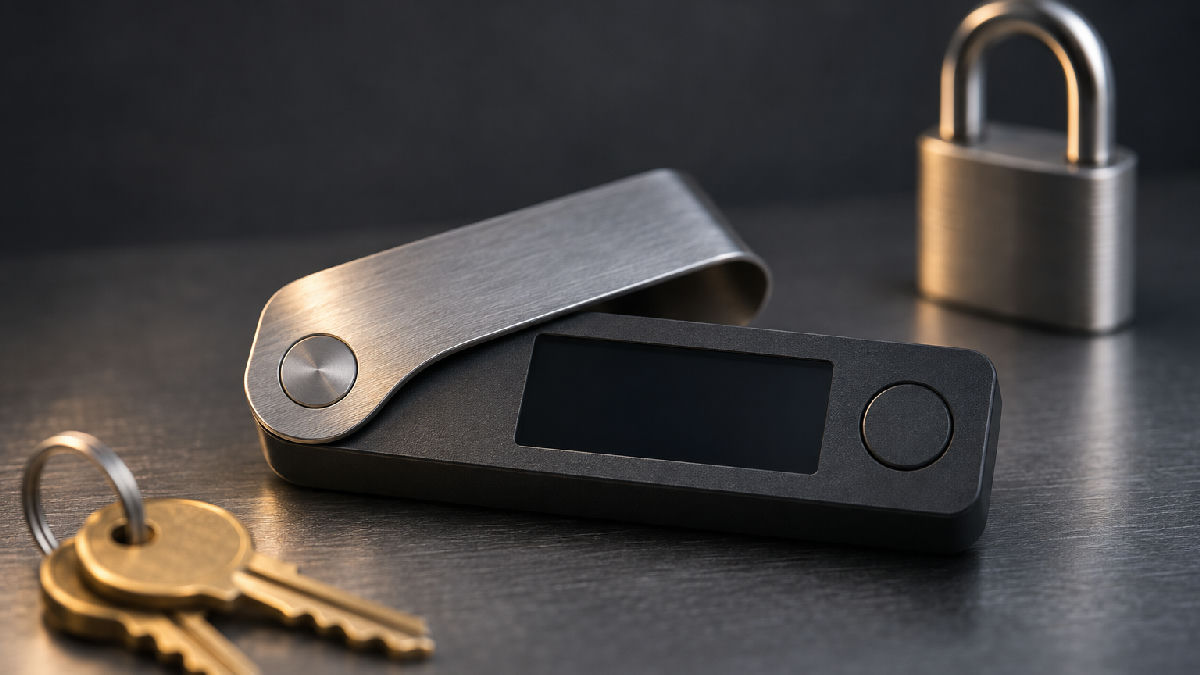
In the vast and interconnected world of DeFi, protecting your digital assets is paramount. A hardware wallet acts as your personal "digital fortress," providing a critical layer of security for your cryptocurrencies.
1.1 Why Hardware Wallets are Crucial for DeFi: Protecting Your Private Keys
A hardware wallet is a physical device that keeps your private keys offline, making it extremely difficult for malicious actors to access your funds. This offline storage is a core mechanism that vastly reduces the risk of being hacked, even if your computer is compromised. This commitment to self-custody is fundamental to DeFi participation. Your private keys, which sign transactions and prove ownership of your assets, never leave the secure element of the device.
1.2 How Hardware Wallets Interact with DeFi Protocols: Understanding the Transaction Signing Process
When you initiate a transaction on a DeFi protocol, such as providing liquidity on Uniswap or lending assets on Aave, your web browser or wallet interface prepares the transaction details. These details are then sent to your hardware wallet. The hardware wallet's secure element then cryptographically signs the transaction using your private key. Importantly, this signing process happens *within* the hardware wallet, keeping your private key isolated from your internet-connected computer. Once signed, the transaction is sent back to your computer and then broadcast to the blockchain for execution. This process is how a physical hardware wallet provides offline storage for private keys.
1.3 Hardware Wallet Limitations in DeFi: What They Can and Cannot Protect Against
While hardware wallets are an indispensable security tool, they are not a silver bullet against all DeFi risks. They excel at preventing direct theft of private keys due to phishing or malware on your computer. However, they have limitations:
- Smart Contract Vulnerabilities: A hardware wallet cannot protect you from flaws within the smart contracts of the DeFi protocol itself. If a protocol like MakerDAO or Compound has a bug in its code, interacting with it could still lead to asset loss, even if your transaction is properly signed. Understanding smart contract safety is critical.
- User Error: If you approve a malicious transaction or send funds to the wrong address, your hardware wallet will still sign it, as it's following your explicit instruction. The "Security Checkpoint" only works if you verify what you're approving.
- Oracle Manipulation or Economic Exploits: Hardware wallets cannot prevent attacks that exploit economic incentives or oracle data feeds within a DeFi protocol.
Therefore, while a physical hardware wallet offers very secure storage for your crypto, it must be combined with diligent user practices and an understanding of DeFi protocol risks. You can learn more about security risks of DeFi and how to mitigate them in a dedicated guide.
Chapter 2: The Transaction Decoder Ring – Verifying Complex DeFi Interactions
Interacting with DeFi often means dealing with transactions far more complex than a simple token transfer. Your hardware wallet acts as a "Transaction Decoder Ring," allowing you to inspect these details before signing. This section guides you through interpreting what you see on your device's small screen.
2.1 The Challenge of DeFi Transaction Verification: Why Standard Transaction Screens Aren't Enough
Standard wallet interfaces often simplify transaction data, showing only the recipient address and amount. However, DeFi interactions involve complex smart contract calls with multiple parameters (e.g., token IDs, specific function calls, approval amounts, expiry dates). A simple "send 10 ETH" screen isn't enough to verify you're performing the intended action in DeFi. Malicious actors exploit this complexity by displaying misleading information on your computer screen while sending different data to your hardware wallet.
2.2 Decoding Common DeFi Transactions on Your Hardware Wallet
It's vital to meticulously verify each transaction step-by-step on your hardware wallet screen before confirming.
2.2.1 Swapping Tokens (e.g., Uniswap): What to Look For
When swapping tokens on a Decentralized Exchange (DEX) like Uniswap, verify the following on your hardware wallet:
- Contract Address: Ensure it's the correct address for the DEX router or specific liquidity pool you intend to interact with. For Uniswap, consult their official documentation for verified contract addresses.
- Token Addresses: Confirm the input and output token contract addresses match the tokens you intend to swap. For example, if swapping ETH for DAI, verify the DAI stablecoin's ERC-20 standard_id contract address.
- Amounts: Double-check the exact amount of input tokens you are sending and the minimum expected amount of output tokens you are receiving. Slippage tolerance might be represented here.
- Gas Fees: Review the network fees (gas price and gas limit) to ensure they are reasonable.
- Function Name: The hardware wallet might display the function being called, e.g.,
swapExactTokensForTokens. This indicates a token swap.
2.2.2 Providing Liquidity (LP Tokens): Verifying Pool Addresses, Token Pairs, and Approval Amounts
When you provide liquidity to a liquidity pool, you receive LP tokens in return. Verify:
- Router/Pool Contract Address: Confirm it's the legitimate address of the Automated Market Maker (AMM) protocol, such as Uniswap's pool contract.
- Token Pair: Ensure the token contract addresses match the exact pair you're providing liquidity for (e.g., ETH-USDC).
- Deposit Amounts: Verify the quantities of each token you are depositing into the pool.
- Function Name: Look for functions like
addLiquidityormint(for concentrated liquidity). - Approval: If it's your first time or your approval has expired, you'll likely need to approve the DEX router to spend your tokens. Critically, verify this approval transaction's contract address and the amount.
2.2.3 Staking/Yield Farming: Confirming Staking Contract, Reward Token, and Lock-up Periods
When participating in DeFi Staking or Yield Farming, you're interacting with specialized smart contracts. Verify:
- Staking Contract Address: Ensure this is the official contract for the staking pool or yield farm. Check documentation from protocols like Lido or Corn.
- Amount Being Staked: Confirm the exact number of tokens you are depositing.
- Reward Token Address: If displayed, verify the address of the token you expect to receive as rewards.
- Lock-up Period/Unstaking Conditions: While often not explicitly on the hardware wallet screen, the function name (e.g.,
stake,deposit) should align with these expectations. Cross-reference with protocol docs.
2.2.4 Lending/Borrowing (e.g., Aave, Compound): Checking Asset, Collateral, and Interest Rate Parameters
For lending protocols like Aave or Compound, verify:
- Protocol Contract Address: Ensure it's the correct lending protocol contract, for example, a cToken contract for Compound.
- Asset Address: Confirm the token you are lending or borrowing. For example, if lending DAI, check its ERC-20 standard_id.
- Amount: Verify the quantity of tokens involved.
- Function Name: Functions might include
supply(for lending),borrow, orrepay. - Collateral Details: If borrowing, the transaction might involve setting up collateral, which should be reflected in the transaction data.
2.2.5 Approvals (ERC-20/ERC-721 allowances): The Critical Importance of Verifying Spending Limits and Contract Addresses
Approvals are one of the most critical and misunderstood aspects of DeFi security. An approval grants another smart contract (the "spender") permission to move a certain amount of your tokens on your behalf.
- Spender Address: This is the most crucial part. Ensure the contract address you are approving is the legitimate protocol you intend to interact with (e.g., the Uniswap router, Aave's lending pool). A malicious spender address could drain your wallet.
- Approved Amount: While "unlimited" approvals are common for convenience, they pose a risk. If the approved contract is exploited, it could spend all your tokens. Consider approving only the exact amount needed for a transaction.
- Token Address: Confirm the address of the specific ERC-20 standard_id or ERC-721 token you are granting approval for.
Always verify the spender and amount on your hardware wallet. This is a common attack vector for wallet drainers.
2.3 Advanced Verification Techniques: Using Blockchain Explorers and Protocol Documentation to Cross-Reference
When the details on your hardware wallet are sparse or unclear, you can use external tools:
- Blockchain Explorers: Websites like Etherscan (for Ethereum blockchain_platform) allow you to look up contract addresses, verify token information, and even decode raw transaction data. You can paste the contract address you see on your hardware wallet into Etherscan to confirm its legitimacy and what it does.
- Official Protocol Documentation: Reputable DeFi protocols like MakerDAO and Compound provide extensive documentation. Their docs often list official contract addresses. Always cross-reference addresses and expected transaction flows with these official sources.
- Transaction Decoders: Some advanced tools can take raw transaction input data and attempt to decode the function call and its parameters, offering a more human-readable format than what's on your hardware wallet screen.
2.4 The "Blank Screen" or "Generic Transaction" Dilemma: When Your Hardware Wallet Can't Parse Details and What to Do
Sometimes, especially with complex or newer smart contract interactions, your hardware wallet might display a "generic transaction" message or a raw data hash instead of human-readable parameters. This usually means the device's firmware or the connected interface isn't equipped to fully decode the specific smart contract call. In this situation:
- DO NOT SIGN. Signing a generic transaction is akin to signing a blank check.
- Identify the Cause: Is your hardware wallet firmware up to date? Is the dApp known to cause this?
- Consult Documentation: Check if the protocol provides specific guidance for hardware wallet users.
- Use a Blockchain Explorer: Copy the transaction hash (if available from your wallet interface) and analyze the raw input data on a blockchain explorer. This requires advanced knowledge of EVM transactions.
- Seek Expert Help: If unsure, ask in the official community channels of the protocol or your hardware wallet manufacturer.
- Avoid if Unsure: If you cannot confidently verify the transaction, it is always safer to cancel it.
Chapter 3: Security Checkpoints – Mitigating Advanced DeFi Threats with Your Hardware Wallet
Your hardware wallet acts as a crucial "Security Checkpoint" for every transaction. However, sophisticated threats require more than just signing. This chapter delves into advanced threats and best practices to fortify your DeFi activities.
3.1 Advanced Threat Modeling for DeFi: Understanding the Enemy
To effectively use your hardware wallet in DeFi, you need to understand the types of attacks it protects against and where its limitations lie.
3.1.1 Wallet Drainers & Malicious Approvals: How They Work and How Hardware Wallets Protect (or Fail to Protect)
Wallet drainers are malicious scripts or dApps designed to steal your tokens, often by exploiting excessive or malicious token approvals. They trick users into signing a transaction that grants broad spending permissions to a malicious contract. For instance, a phishing site might prompt you to "approve USDT" for an "unlimited" amount to a scammer's address. If you fail to verify the contract address and the amount on your hardware wallet screen, you are vulnerable. While the hardware wallet itself will accurately display the *true* transaction you're signing (i.e., "Approve unlimited USDT for 0xMaliciousAddress"), it cannot tell you that 0xMaliciousAddress is indeed malicious. It relies on *your* verification. You can also explore exploring the security of DeFi protocols and staking in more depth.
3.1.2 Phishing & Spoofed dApps: The Role of Transaction Verification in Thwarting These Attacks
Phishing involves creating fake websites or dApps that mimic legitimate ones to trick users into revealing seed phrases or signing malicious transactions. A spoofed dApp might perfectly replicate a Uniswap interface. When you connect your hardware wallet and try to perform a swap, the fake site will present you with a transaction to sign that might, for example, transfer all your ETH to the scammer. Your hardware wallet is your defense here: it will display the *actual* recipient address (the scammer's) and the *actual* amount being sent (all your ETH), regardless of what the fake website shows. If you meticulously verify these details, you can identify the fraud and cancel the transaction. This highlights why understanding how to secure DeFi investments and staking is crucial.
3.1.3 Supply Chain Attacks (e.g., compromised libraries, malicious updates): Beyond the Hardware Wallet's Direct Scope, but How to Stay Vigilant
These attacks target the software infrastructure *around* DeFi protocols. For example, a commonly used library might be compromised, injecting malicious code into multiple dApps. Or, a wallet software update might secretly include malware. While your hardware wallet itself is secure, the software it interacts with (e.g., your browser, wallet extensions) can be vectors. Vigilance is key: only download software from official sources, verify checksums if provided, and use dedicated, clean devices for high-value DeFi interactions.
3.1.4 Smart Contract Vulnerabilities: The Hardware Wallet's Limitations and the Need for External Due Diligence
As discussed, hardware wallets do not protect against flaws in the underlying smart contracts of a DeFi protocol. If a bug exists in, for example, Compound's lending contract, interacting with it could lead to losses that your hardware wallet cannot prevent. Due diligence is crucial: examine audit reports, check the protocol's history (e.g., MakerDAO, launched in 2017 on Ethereum, has a strong track record), monitor community sentiment, and understand the core mechanism of the protocol. Familiarize yourself with how to identify and avoid common smart contract vulnerabilities.
3.2 Best Practices for Securing DeFi Interactions
3.2.1 Always Revoke Unused Approvals: Step-by-Step Guide
Excessive approvals are a major security risk. Regularly review and revoke unnecessary token allowances. Tools like revoke.cash or approved.zone allow you to see all current approvals for your wallet address across various chains (e.g., Ethereum blockchain_platform, Base settlement_layer, Moonbeam virtual_machine). You can connect your hardware wallet to these sites and revoke approvals with a single transaction. It's a proactive measure to prevent wallet drainers from exploiting old or forgotten permissions.
3.2.2 Use Custom Nonces (Advanced): Why and How This Adds a Layer of Protection
A nonce is a number that ensures each transaction from your wallet is processed only once and in the correct order. Normally, your wallet software manages nonces automatically. However, in advanced scenarios, manually setting a custom nonce can prevent front-running or transaction replay attacks, especially if you're dealing with multiple pending transactions or a compromised transaction signature. This is an expert-level technique and should only be used by those who fully understand its implications.
3.2.3 Dedicated Hardware Wallets for High-Value DeFi: Isolating Risk
For individuals managing substantial assets, consider having a dedicated hardware wallet solely for high-value DeFi interactions. This isolates your primary holdings from potential risks associated with frequent dApp connections. You might use one hardware wallet for everyday transactions and another, less frequently connected, for significant liquidity provision or staking positions. This enhances your overall blockchain security.
3.2.4 Browser Security & Extension Management: Protecting Your Interaction Environment
Your browser is the gateway to DeFi. Maintain robust browser security:
- Use a clean browser profile for DeFi activity, free of unnecessary extensions.
- Install only trusted wallet extensions (e.g., MetaMask).
- Regularly update your browser and operating system.
- Be cautious of pop-ups requesting wallet connections or signature approvals.
3.2.5 Transaction Simulation Tools: Leveraging External Tools for Pre-Signing Verification
Some advanced tools and wallet interfaces now offer transaction simulation. Before you even sign with your hardware wallet, these tools can execute a "dry run" of your transaction on a test network or a fork of the mainnet to predict its outcome. This helps identify if a transaction will fail, if it's interacting with an unexpected contract, or if it will result in an unintended loss of funds. Services like Tenderly or Blocknative's simulations can provide invaluable insights.
3.3 The Human Element: Your Role as the Ultimate Security Checkpoint
No technology, however advanced, can fully replace human vigilance. You are the ultimate "Security Checkpoint." Every time your hardware wallet asks for confirmation, it's an opportunity for you to prevent a catastrophic mistake. Take your time, read every detail on the device screen, and never sign anything you don't fully understand. Your critical thinking and attention to detail are your strongest defense in DeFi.
Chapter 4: The DeFi Labyrinth – Navigating Protocols with a Security Mindset
DeFi is a complex "Labyrinth" of protocols, each with its own risks and rewards. Navigating it successfully with your hardware wallet requires a security-first mindset and a framework for decision-making.
4.1 Decision Tree for DeFi Interaction Security: A Framework for Evaluating Risk
Before interacting with any DeFi protocol, ask yourself these questions:
- What is the protocol's purpose? (e.g., lending, swapping, yield farming)
- How much capital am I risking?
- How long do I intend to interact with this protocol?
4.1.1 Assessing Protocol Risk: Audits, TVL, Team, Age, Reputation
Evaluate the protocol's security posture:
- Security Audits: Have the smart contracts been audited by reputable firms? Always read the audit reports and understand any identified vulnerabilities and their resolutions. This is a crucial step for smart contract security and audits.
- Total Value Locked (TVL): A high TVL can indicate trust and usage, but also makes the protocol a larger target.
- Team & Developers: Is the team doxxed or anonymous? Do they have a track record?
- Protocol Age & History: Older protocols with a consistent operational history (like MakerDAO, launched in 2017) often imply greater resilience than new, unaudited projects.
- Reputation & Community: What is the general sentiment in the community? Are there ongoing discussions about security concerns?
4.1.2 Evaluating Smart Contract Complexity: Higher Complexity, Higher Risk
Complex smart contracts with many interconnected components are harder to audit and more prone to unforeseen vulnerabilities. Protocols leveraging intricate financial primitives or multiple layers of abstraction (e.g., flash loans) inherently carry higher risk. Always question if the complexity is necessary and if it has been thoroughly battle-tested. Our guide on safeguarding blockchain: a guide to smart contract risks provides more context.
4.1.3 Understanding Governance Tokens and Their Risks: Voting Power and Potential for Exploits
Many DeFi protocols are governed by governance tokens, such as MKR for MakerDAO or UNI for Uniswap. While they offer community participation, they also introduce risks:
- Centralization of Power: A few large holders could collude to pass malicious proposals.
- Governance Exploits: Attackers could acquire enough governance tokens to manipulate the protocol for their own gain.
Understand the governance structure of any protocol you interact with, including how protocol upgrades are made (e.g., MKR holder voting for MakerDAO).
4.2 Implementing Multi-Signature (Multisig) Solutions with Hardware Wallets: Enhanced Institutional-Grade Security for Individuals
For critical funds or shared treasuries, a multi-signature wallet provides an extra layer of security. A multisig wallet requires multiple private keys (or hardware wallets) to sign a transaction before it can be executed. This means that even if one of your hardware wallets is compromised, your funds remain safe as long as the other signers are secure. You can integrate your hardware wallet as one of the required signers in a multisig setup, creating institutional-grade security for your personal or shared assets. Learn more about understanding and securing multi-signature wallets.
4.3 Cold Storage vs. Hot Wallets in DeFi: When to Use Which and the Trade-Offs
The distinction between cold wallets (offline) and hot wallets (online) is crucial for DeFi security:
- Cold Wallets: Your hardware wallet is a cold wallet. Physical hardware wallets are devices that let you keep your crypto offline – very secure. They are best for long-term storage and significant DeFi positions where frequent interaction isn't required. The trade-off is slightly less convenience.
- Hot Wallets: Software wallets (browser extensions, mobile apps) are considered hot wallets because their keys are always online. While convenient for frequent small transactions, they are more susceptible to online threats.
The best strategy is to use your hardware wallet as your primary cold storage for the bulk of your assets and connect it to a hot wallet interface (like MetaMask) only when necessary for DeFi interactions. This is a core principle of self-custody.
4.4 Emergency Procedures: What to Do If Things Go Wrong
Despite best practices, risks exist. Knowing emergency procedures is vital:
- Revoking Approvals: If you suspect a malicious approval or an exploit, immediately revoke all unnecessary approvals using tools like revoke.cash.
- Emergency Exits: Some protocols offer emergency withdrawal functions to quickly remove your funds if the protocol is under attack. Familiarize yourself with these mechanisms if they exist.
- Asset Recovery Considerations: If assets are stolen, immediately contact relevant authorities and use blockchain analytics to trace the funds. While recovery is often difficult, timely action is critical.
Conclusion: Mastering Your Digital Fortress in DeFi
You've journeyed through the intricacies of securing your DeFi interactions with a hardware wallet, transforming it from a simple storage device into a powerful "Digital Fortress." By understanding its capabilities and limitations, you are now equipped with the knowledge to confidently engage with the DeFi ecosystem.
The key security principles we've covered include meticulous transaction verification, vigilant approval management, robust browser security, and a proactive mindset toward threat modeling. While hardware wallets provide an essential layer of security by keeping your private keys offline, your role as the ultimate security checkpoint remains paramount. DeFi is an ever-evolving landscape, and ongoing vigilance, continuous learning, and adapting to new threats are crucial for long-term success and security. Empower yourself to confidently engage with DeFi, knowing you have mastered the defenses of your digital fortress.
⚠️ Common Mistakes to Avoid
- Blindly Signing Transactions: Not thoroughly verifying details on your hardware wallet screen, especially contract addresses and amounts.
- Approving "Unlimited" Spends Unnecessarily: Granting unlimited token approvals to contracts you don't frequently use or trust implicitly.
- Connecting to Untrusted dApps: Interacting with unfamiliar or unverified DeFi protocols without doing proper due diligence.
- Ignoring Firmware Updates: Not keeping your hardware wallet's firmware up-to-date, which can leave it vulnerable to known exploits.
- Using the Same Hardware Wallet for Everything: Failing to segment risk by using dedicated hardware wallets for high-value assets or critical DeFi roles.
- Weak Seed Phrase Management: Storing your seed phrase insecurely (e.g., digitally, unencrypted, or in plain sight).
- Lack of Approval Revocation: Seldom or never checking and revoking old token approvals.
- Ignoring Browser/OS Security: Operating on a compromised computer or with a browser full of malicious extensions, even with a hardware wallet connected.
Frequently Asked Questions
Can a hardware wallet protect me from smart contract bugs?No, a hardware wallet protects your private keys and ensures you sign the transaction you intend. However, if the smart contract itself has a vulnerability (a bug in its code), interacting with it can still lead to asset loss. Your hardware wallet cannot audit the smart contract's code for you. You can read more about smart contract risks.
What is 'approving' a token, and why is it risky?Approving a token grants another smart contract (the "spender") permission to move a specified amount of your tokens on your behalf. This is common in DeFi for Decentralized Exchanges and lending protocols like Compound. It's risky because if you approve an excessive amount or approve a malicious contract, that contract could drain your funds without further interaction from you. Always verify the spender address and the approved amount on your hardware wallet.
How do I know if the DeFi protocol I'm interacting with is legitimate?Due diligence is key. Check for:
- Reputable security audits (read the reports).
- A strong track record and history (e.g., MakerDAO launched in 2017).
- Community sentiment and engagement.
- Transparency from the team (doxxed vs. anonymous).
- Official documentation and verified contract addresses.
- The presence of a governance token and an active governance mechanism (e.g., MKR holder voting for MakerDAO).
If your hardware wallet displays a generic message or a raw data hash instead of clear, human-readable details, do not sign the transaction. This means your device cannot fully interpret the smart contract call. Update your hardware wallet's firmware, cross-reference with blockchain explorers, consult the dApp's documentation, or simply cancel the transaction if you cannot confidently verify its purpose.
Is it safe to connect my hardware wallet to multiple DeFi platforms?Yes, it is generally safe to connect your hardware wallet to multiple legitimate DeFi platforms, provided you maintain best practices. Each time you interact, your hardware wallet creates a unique signature, and your private keys remain offline. The risk arises if you connect to a malicious or compromised platform, as you might be tricked into signing unintended transactions or granting malicious approvals. Always verify URLs and exercise caution.
What are common mistakes users make when using hardware wallets with DeFi?Common mistakes include:
- Not verifying transaction details on the hardware wallet's screen.
- Granting unlimited token approvals unnecessarily.
- Connecting to unverified or suspicious websites.
- Ignoring firmware updates for the hardware wallet.
- Using an insecure computer or browser environment.
- Neglecting to revoke old token approvals.
There's no fixed schedule, but it's a good habit to review and revoke token approvals periodically, especially after completing major interactions with a protocol or if you no longer use a specific dApp. Many users opt for quarterly or monthly checks. Tools like revoke.cash can help you manage this efficiently.
Can someone steal my funds if they get my hardware wallet, but not my PIN?No, not directly. Your hardware wallet is secured by a PIN. Without the correct PIN, an attacker cannot access your private keys or sign transactions. However, if they have your hardware wallet and discover your PIN (e.g., through observation or social engineering), they could then access your funds. The primary risk with a stolen hardware wallet without the PIN is losing access yourself if you don't have your seed phrase.
What's the difference between a hardware wallet and a multisig wallet?A hardware wallet is a single device that securely stores one set of private keys offline. A multisig (multi-signature) wallet is a smart contract that requires multiple independent signatures (each from a separate private key, which could be stored on separate hardware wallets) to execute a transaction. Multisig adds an extra layer of security by distributing control. You can use hardware wallets as the signers for a multisig wallet. Learn more about multisig wallets.
Are there specific hardware wallets better suited for DeFi?Most major hardware wallet brands (e.g., Ledger, Trezor) offer robust support for EVM-compatible chains like Ethereum blockchain_platform, which is where much of DeFi operates. They also support various tokens like ERC-20 stablecoin_name Dai and governance_token MKR. The key is that the hardware wallet allows for clear transaction signing and, ideally, offers detailed parsing of smart contract interactions. Compatibility with your preferred DeFi ecosystem and ongoing firmware updates are important considerations.
What's Next?
Now that you've completed this guide, you might want to:
- Dive deeper into smart contract security and auditing to evaluate protocols more effectively.
- Explore the benefits of multi-signature wallets for enhanced asset protection.
- Understand how to prevent DeFi rug pulls by identifying red flags.
Sources
- Maker Protocol Whitepaper, Section 1
- CoinGecko — Compound
- Decentralized Finance (DeFi) on Ethereum.org
- GitHub releases
- DefiLlama — Moonbeam
- CoinGecko — Moonbeam
- L2Beat — Base Chain
- Cryptocurrency Hardware Wallet — primary reference
- Cryptocurrency Hardware Wallet — primary documentation
- CoinGecko — Aave
- GitHub — aave/aave-protocol
- Ethereum.org EIP-20 Documentation
- Ethereum — official documentation site
- Decentralized Finance (DeFi) on Ethereum