In the UK, £76.2 million of cryptoassets were denied through seizure or freezing in the year ending March 2026, but only £15.7 million was recovered, showing that successful recovery depends on speed, evidence preservation, and avoiding scams. Recovery isn't guaranteed, but calm decisions made in the first few minutes can protect the best remaining path.
You open your wallet app and see a blank balance. Your hardware wallet powers on, but the screen is damaged. Or the new Ledger arrived without the recovery sheet you expected, and you can't remember whether the words were written down, photographed, or stored in a drawer. The first reaction is usually panic, followed by a dangerous urge to try every password and recovery tool available.
Pause before doing that. Crypto wallet recovery can mean restoring a wallet from a seed phrase, extracting data from a damaged device, or helping investigators trace and freeze assets after fraud. In the UK, it can also involve formal court orders and the later conversion of seized crypto into fiat. English law's treatment of cryptoassets as property has enabled courts to use freezing, seizure, and recovery tools against wallets and related devices. By 2025, the Metropolitan Police had recovered more than 61,000 Bitcoin in a fraud case involving more than 128,000 victims, with the haul valued at around £5 billion, as described by UK cryptocurrency recovery specialists.
That scale can make recovery sound like a simple technical exercise. It isn't. The practical question is what evidence remains, who controls the wallet, whether the assets were transferred, and whether the person offering help is genuine.
The Moment You Realise Your Wallet Is Locked
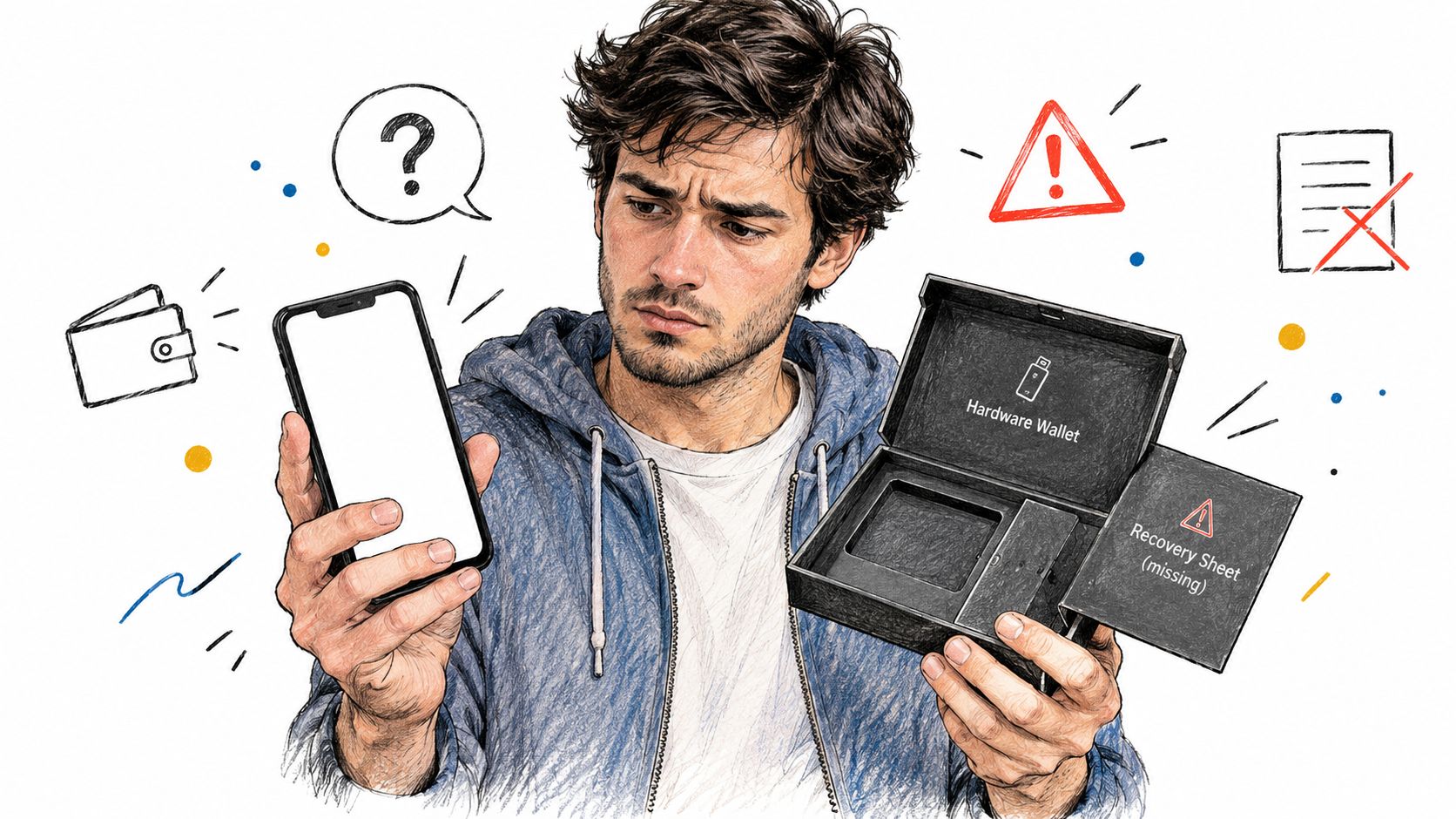
A common scenario starts with a small mistake. Someone replaces a phone, downloads the wallet app again, chooses “create new wallet” instead of “restore”, and sees an empty account. The funds may not have disappeared. The app may be showing a different wallet, account type, or derivation path. That distinction matters, because repeated changes can make it harder to identify what was originally used.
Another person has a hardware wallet that still powers on, but the display is unreadable. They can remember buying the device, yet the recovery card is missing. A third has a wallet file on an old computer and a password that no longer works. All three cases feel identical in the moment, but they require different responses.
Separate an access problem from an asset loss
An empty screen doesn't prove that coins have moved. Check the receiving addresses and transaction history through the relevant blockchain explorer, but don't enter a seed phrase into a website that claims to “scan” the wallet. If the last known address still holds funds, the immediate problem is likely access, wallet selection, or software compatibility.
If the assets have moved to an address you don't control, the problem changes. You may be dealing with theft, a compromised seed phrase, an exchange issue, or a mistaken transfer. Save the transaction ID, destination address, dates, messages, and account records. Don't confront a suspected scammer or announce publicly that funds remain untouched.
Practical rule: A blank wallet interface is an observation, not a diagnosis. Record what you can see before changing anything.
The UK now records cryptoasset seizures, restraint, freezing orders, and later realisation separately in its official asset-recovery framework. For the financial year ending March 2026, the government reported £76.2 million denied through seizure, restraint, or freezing, compared with £15.7 million recovered through realisation. The reported recovery value fell from £46.2 million in the previous year, a 66% year-on-year decrease, according to the official UK asset-recovery statistics.
Those figures show why “recovery” has two meanings. A wallet can be identified and frozen without the value being realised and returned. The sooner you preserve the access evidence and report suspected fraud, the less likely it is that a technical mistake or a second scam will close the remaining options.
What to Do Before You Try to Recover Anything
The safest first action is to stop making changes. Disconnect the affected phone, computer, or hardware wallet from networks if you suspect malware or unauthorised access. Don't wipe the device, factory-reset a hardware wallet, reinstall operating systems, or overwrite a wallet file before you've made a careful record.
Use a separate camera to photograph handwritten notes, packaging, device labels, error messages, and the location where each item was found. Write down the wallet brand, app name, approximate creation date, visible public addresses, and the last successful login. Never photograph or upload a seed phrase where another person, cloud account, or automatically backed-up photo service can access it.
Preserve the evidence
If a computer contains a wallet file, make a copy of the original and work only from the copy. Don't rename files casually or install random “repair” programs on the same drive. A corrupted wallet.dat file may still contain useful information, and a forensic specialist needs to know what existed before any attempted repair.
Avoid repeated password guesses. Some devices and services impose lockouts, while a careless import can create a new wallet, alter app data, or hide the account you need to identify. A failed attempt doesn't always destroy the wallet, but it can change the evidence around it.
Use this immediate checklist:
- Disconnect affected devices: Isolate a phone, computer, or hardware wallet that may be compromised, but don't erase it.
- Secure remaining funds: If another wallet is still under your control and you suspect the original seed phrase has been exposed, consider moving assets to a fresh wallet created from a clean device.
- Document the timeline: Record dates, balances, addresses, error messages, support tickets, and every action already taken.
- Verify software sources: Download only from the wallet maker's official website or verified app store listing. Check the publisher carefully because lookalike apps are common.
- Keep secret material private: A legitimate support agent, investigator, or repair technician shouldn't need your complete seed phrase.
Check the wider account risk
A wallet incident may sit alongside a wider account compromise. If the same password was used for email, cloud storage, an exchange, or a password manager, change those passwords from a clean device and enable available security controls. Understanding what a leaked password means for IAM can help you assess whether the wallet problem is isolated or part of a broader identity and access issue.
Don't send seed words to a support form to “confirm ownership”. Don't paste them into a browser extension, share them in a screen recording, or give them to someone who contacted you first. Evidence preservation is useful only if the evidence doesn't expose the funds to a second attacker.
Restoring Access with Seed Phrases and Private Keys
For many ordinary wallet failures, the seed phrase is the central recovery material. It is usually a sequence of 12 or 24 words that recreates the wallet's private keys in compatible software or on a compatible hardware device. The words must be entered in the correct order, with the right spelling and any additional passphrase that was used.
People store these phrases in very different ways. One person may have stamped the words onto a steel plate in a safe. Another may have written them on paper in a desk drawer. Someone else may have taken a screenshot and left it in a cloud photo folder, which creates a security risk because anyone who gains access to that account may be able to control the funds.
Password and seed phrase are not the same
A wallet password usually protects an installed wallet or device. It doesn't normally recreate the wallet on a new device. The seed phrase is the master recovery material, while a separate passphrase, sometimes called an additional word or hidden-wallet passphrase, can create a different wallet from the same underlying seed.
This is the mistake behind many empty-wallet reports. The user remembers the app password, imports the seed, and sees no funds because they selected the wrong wallet family, account, network, derivation path, or passphrase. A compatible restore can also show the main account while requiring manual addition of certain tokens.
The password may unlock the door you already installed. The seed phrase is what lets you rebuild the wallet.
A careful restore process looks like this:
- Identify the original wallet family. Note whether the wallet was Ledger, Trezor, Trust Wallet, MetaMask, Electrum, or another product. Record the original network and account type rather than guessing.
- Obtain the official app. Use the manufacturer's official channel and check the publisher. Avoid links sent through social media, messaging apps, or unsolicited support chats.
- Choose restore or import. Select the option that says you already have a wallet, restore an existing wallet, or import a secret phrase. Don't choose create new unless you're deliberately making a separate wallet.
- Enter the words privately. Type the phrase in its exact order and verify every word. Never send it to a person or paste it into an online recovery page.
- Test the result. Compare the receiving addresses with records you made before the incident. Check the expected network and account, not just the balance displayed on the first screen.
- Check for an additional passphrase. If the wallet used one, the seed without that passphrase may open a valid but empty wallet.
- Secure the restored environment. Update the device, remove suspicious software, set a new local password, and move funds to a clean wallet if the original recovery material may have been exposed.
The BIP-0039 guide for cross-wallet compatibility and recovery can help explain why compatible wallet software matters. If both the seed phrase and the original device are gone, assets are usually irretrievable, because there may be no remaining material from which to recreate the private keys. A wallet password alone generally can't solve that problem.
A visual walkthrough can reinforce the order of operations, but it doesn't replace source verification or private handling of the phrase.
Hardware Wallets, Corrupted Files, and When to Call Experts
Some cases are suitable for cautious self-recovery. Others aren't. A hardware wallet with a damaged screen may still work if the recovery phrase is available, but blindly approving transactions on a device you can't read is unsafe. A corrupted wallet file may respond to a specialist repair process, while repeated DIY attempts can overwrite useful fragments.
The decision should be based on the evidence you have, the risk of exposing the seed, and whether the device contains the only remaining route to the keys. A genuine specialist should be able to explain what they need, what they cannot promise, and how they will keep copies and credentials isolated.
Recovery options compared
| Scenario | DIY feasibility | Professional help needed | Estimated cost range |
|---|---|---|---|
| You have the correct seed phrase and a supported app | High, if the phrase is kept private and the wallet type is known | Usually not needed | Varies by software and device |
| Hardware wallet has a damaged screen but the phrase is available | Possible, but transaction approval should not be guessed | Useful for safe device assessment | Varies by repair and forensic complexity |
| You have a corrupted wallet file and no usable seed phrase | Low without a verified copy and technical knowledge | Often appropriate | Quote required after evidence review |
| You forgot an additional passphrase | Limited, because guesses can create a different wallet | Specialist advice may help with documented possibilities | Quote required, with no guaranteed result |
| Funds were transferred by a suspected criminal | Not a technical restore problem | Report to authorities and use qualified investigators | Varies by legal and investigative scope |
The cost is only one trade-off. DIY work gives you control and avoids handing sensitive material to another party, but a mistake can damage evidence. Professional work may bring forensic tools and documented handling, yet no reputable provider can guarantee recovery when the key material is missing.
If the issue involves a physically damaged drive rather than a wallet alone, a specialist service that can recover lost data may help with the storage medium. Data recovery isn't the same as blockchain recovery, though. Restoring a file doesn't automatically recover a password, seed phrase, passphrase, or private key.
Vet the person offering help
Ask for a written scope, privacy process, business identity, and explanation of whether work happens on a copy of the original evidence. Search for independent information rather than relying on testimonials displayed by the provider. Don't give anyone remote control of a live wallet containing funds, and don't send a seed phrase “temporarily” for testing.
The guide on recovering crypto from corrupted or damaged hardware wallets is useful for understanding why a damaged device and a missing key are separate problems. If a provider asks for an upfront payment before inspecting anything, promises a guaranteed balance, or claims to have already located your funds without evidence, stop the conversation.
How to Spot and Avoid Recovery Scams
People who lose access to crypto are unusually vulnerable to a second attack. They search for help, reply to an advert, or post a wallet address in a public group. A fraudster then appears with a convincing logo, a supposed case number, and a demand for payment before recovery begins.
This is known as recovery-room fraud. In 2025, nearly 17% of all scams reported to the FCA mentioned a recovery-room tactic, and about 70% of those recovery-room scams were associated with cryptocurrencies, according to reporting on the FCA figures in coverage of recovery-room fraud. The recovery attempt itself has become a major fraud channel.
Treat the approach as suspicious
The FCA warns about fraudsters claiming that the regulator has recovered funds from a crypto wallet supposedly opened illegally in the victim's name. The warning applies to unsolicited approaches by phone, text, email, and WhatsApp, as explained in the FCA warning about fake recovery scams.
Look for these signals:
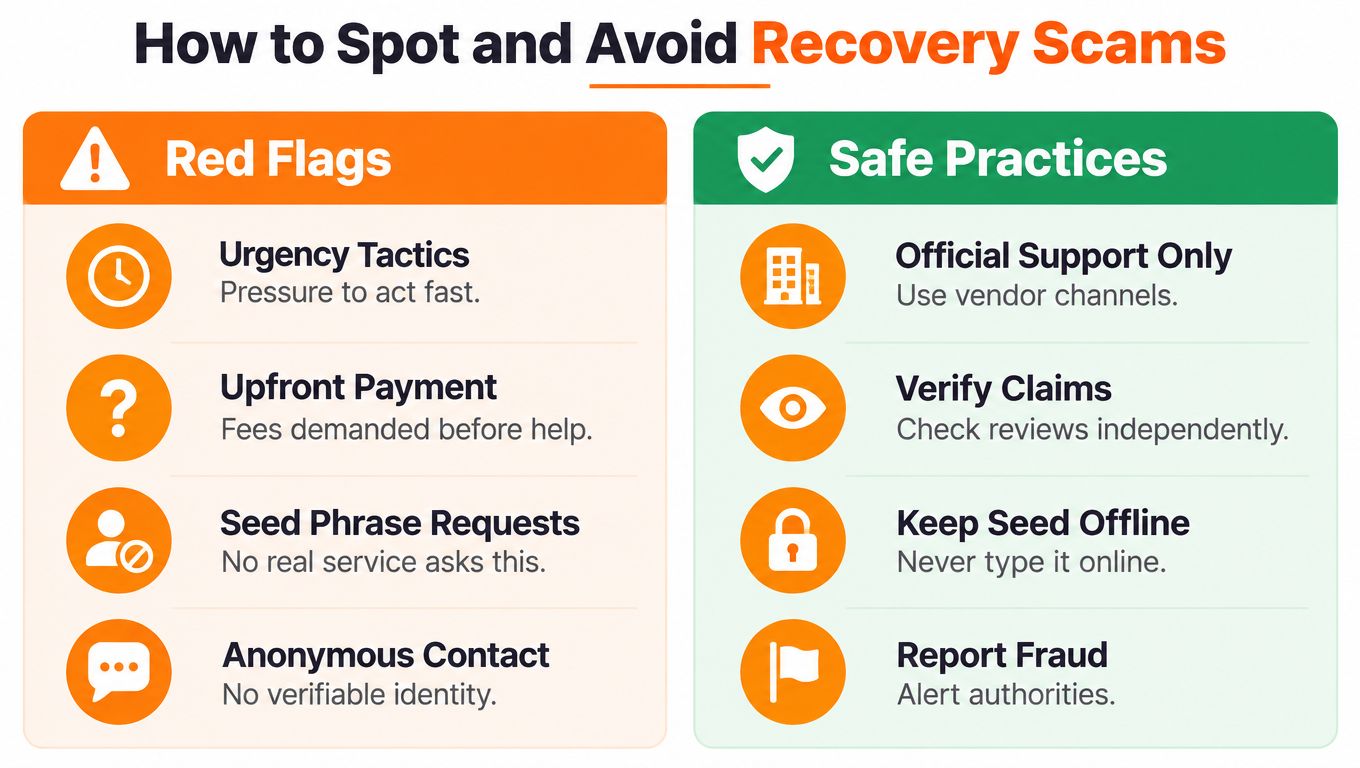
- Upfront payment: The person demands a fee, tax, release charge, or blockchain “activation” payment before showing verifiable evidence.
- Guaranteed success: They promise to recover every coin regardless of whether you have a seed phrase, private key, or usable device.
- Regulatory impersonation: They claim to be from the FCA, police, a court, or an exchange and ask you to move money to prove ownership.
- Urgency: They say the recovery window will close unless you pay or share information immediately.
- Secret material requests: They ask for seed words, private keys, one-time codes, remote desktop access, or a screen recording of your wallet.
- Unverifiable identity: Their website has no clear legal identity, physical presence, accountable staff, or independent history.
A real investigator may ask for transaction records and statements. That is different from asking for the credentials that control the wallet. Keep the seed phrase offline and communicate through contact details you find independently, not through a link supplied by the person who contacted you.
The guide to spotting phishing scams in crypto can help you assess fake support pages and messages. If you have been targeted, preserve emails, phone numbers, payment records, wallet addresses, and screenshots before blocking the sender.
The National Crime Agency says Operation ATLANTIC is a joint UK, US, and Canadian initiative that identifies and contacts people affected by cryptoasset fraud. It provides a 24/7 phone line on 0370 496 7622 and the national reporting line 0300 123 2040, and it warns that participants won't offer recovery services. Anyone offering to recover stolen crypto for a fee should be treated as a recovery scam, according to the National Crime Agency's Operation ATLANTIC information.
Prevention Habits That Keep Your Crypto Safe
The easiest recovery case is the one supported by a usable backup. Write the seed phrase carefully, check that the words are readable, and store the backup offline in a place protected from casual access. A durable metal backup can be more resilient than loose paper, while separate secure locations can reduce the chance that one incident destroys every copy.
Keep the routine simple:
- Test the recovery path: Confirm that you know the wallet family, account type, and passphrase without exposing the phrase online.
- Separate access from backup: Don't keep the seed phrase beside the hardware wallet or in the same open drawer.
- Update deliberately: Install wallet and device updates from official sources, and verify the app before entering any secret.
- Use stronger controls where suitable: A multi-signature arrangement can reduce reliance on one key, but only if every participant understands the signing and recovery process.
- Review records: Keep public addresses, transaction references, and account notes separate from private keys so you can investigate without revealing control information.
Don't wait for a crisis to discover that a backup is incomplete. A quiet, private test of your documented process is safer than improvising after a phone is stolen or a device fails.
The Coin Course offers practical education on wallets, seed phrases, security, blockchain fundamentals, and safer crypto decision-making. Visit The Coin Course to build a recovery plan before you need one and learn how to protect access without relying on risky shortcuts.